SERVICE: FACEBOOK pops and an unusual message and I’m locked out

Monday, January 26, 2009

From: Facebook <password+frohghzf@facebookmail.com>

Date: January 26, 2009 2:20:49 PM EST
To: FJohn Reinke
Subject: Security Warning From Facebook
Reply-To: Facebook <password+frohghzf@facebookmail.com>

We have detected suspicious activity on your Facebook account and have reset your password as a security precaution. It is possible that malicious software was downloaded to your computer or that your password was stolen by a phishing website designed to look like Facebook. Please carefully follow the steps provided:

1. Run Anti-Virus Software: If your computer has been infected with a virus or with malware, you will need to run anti-virus software to remove these harmful programs and keep your information secure. For Microsoft:

http://www.microsoft.com/protect/viruses/xp/av.mspx
http://www.microsoft.com/protect/computer/viruses/default.mspx

For Apple:

http://support.apple.com/kb/HT1222

2. Reset Password: Be sure that you use a complex string of numbers, letters, and punctuation marks that is at least six characters in length.

To reset your password, follow the link below:

http://login.facebook.com/reset.php?
(If clicking on the link doesn’t work, try copying and pasting it into your browser.)

3. Never Click Suspicious Links: It is possible that your friends could unwillingly send spam, viruses, or malware through Facebook if their accounts are infected. Do not click this material and do not run any .exe files on your computer without knowing what they are. Also, be sure to use the most current version of your browser as they contain important security warnings and protection features.

4. Log in at Facebook.com: Make sure that when you access the site, you always log in from a legitimate Facebook page with the facebook.com domain. If something looks or feels suspicious, go directly to http://www.facebook.com to log in.

5. Report Suspicious Activity: Please visit the following pages for further information about Facebook security and information on reporting material: http://www.facebook.com/help.php?page=420 and http://www.facebook.com/security

Once you have performed all these steps, your account should once again be secure. Please be sure to visit the Facebook Help Center for further information regarding these security issues and let us know if you need assistance.

Thanks,
Facebook Security Team
# # # # #


TECHNOLOGY: Voting machines as compared to slot machines

Monday, January 26, 2009

CRYPTO-GRAM
January 15, 2009
by Bruce Schneier  Chief Security Technology Officer, BT

http://www.schneier.com

A free monthly newsletter providing summaries, analyses, insights, and commentaries on security: computer and otherwise.

*** begin quote ***

Comparing the security of electronic slot machines and electronic voting machines:

http://media3.washingtonpost.com/wp-dyn/content/graphic/2006/03/16/GR2006031600213.gif or http://tinyurl.com/f4an8

Other important differences:

1) Slot machines are used every day, 24 hours a day. Electronic voting machines are used, at most, twice a year — often less frequently.

2) Slot machines involve money. Electronic voting machines involve something much more abstract.

3) Slot machine accuracy is a non-partisan issue. For some reason I can’t fathom, electronic voting machine accuracy is seen as a political issue.

*** end quote ***

Just be the one to count the votes and you control this psuedo democracy that we live in.

What a koke!

# # # # #


SERVICE: PIPL to find people

Thursday, January 22, 2009

http://pipl.com/username/

Pipl – People Search

Welcome to the Deep Web

There are various reasons why you might need to search for people, you may need to find a lost relative, an old flame, a classmate or a business contact – but if you are using a search engine such as Google or Yahoo to search for people, you have probably realized by now that it might work in some cases but in most cases it won’t.

# – # – #

Another tool?

# # # # #


SERVICE: The Obameter — Tracking Obama’s Campaign Promises

Wednesday, January 21, 2009

http://www.politifact.com/truth-o-meter/promises/

The Obameter: Tracking Obama’s Campaign Promises

Tracking Obama’s promises

   * Promise Kept 2

   * Compromise 0

   * Promise Broken 0

   * Stalled 1

   * In the Works 9

   * No Action 498

PolitiFact has compiled about 500 promises that Barack Obama made during the campaign and is tracking their progress on our Obameter. We rate their status as No Action, In the Works or Stalled. Once we find action is completed, we rate them Promise Kept, Compromise or Promise Broken.

# – # – #

Be interesting to see how this shapes up.

# # # # #


SERVICE: Generate safe passwords

Wednesday, January 21, 2009

http://www.safepasswd.com/  

I like it but I’d prefer if it would generate a page at a time.

Like a one time pad.

# # # # #


SERVICE: SOUP — an easy way to collect, share, and comment?

Tuesday, January 20, 2009

http://reinkefj.soup.io/

Soup

* a blog

* collage of the web

* browser bar button adds

* aggregate

* Free! (?)

# – # – #

Hey, if it’s free, I’ll try it. Argh!

Now what’s the “value”?

TBD

# # # # #


SERVICE: Be careful where you put your data

Monday, January 19, 2009

http://www.techcrunch.com/2009/01/03/journalspace-drama-all-data-lost-without-backup-company-deadpooled/

JournalSpace Drama: All Data Lost Without Backup, Company Deadpooled
by Robin Wauters on January 3, 2009

*** begin quote ***

Blogging platform JournalSpace (which I’d never heard of to date) has ceased to be, following a wipe-out of the main database for which there was no back-up in place. According to the JournalSpace blog, the database was overwritten as a result of a malicious act from a disgruntled ex-employee.

*** end quote ***

Stunning. Why isn’t the fellow in jail?

# # # # #


SERVICE: Cell phone transforms into a personal security device

Sunday, January 18, 2009

http://www.mymobilewitness.com/

My Mobile Witness, a groundbreaking new cell phone service that turns your cell phone into a personal security device. My Mobile Witness stores photos or text and warehouses the information for use only by law enforcement authorities. The breakthrough technology is fast and simple to use: an individual takes a photo or creates a text message and sends it to their individual account where it is stored in the My Mobile Witness digital vault. The photo is time-stamped and stored on a site accessible only to law enforcement officials who have limited “active case” or subpoena access to the information when the images may be relevant. Think about getting that license plate of the hit-and-run you just saw.

# – # – #

I think about the youngsters meeting in a bar. Their wingman can take serendipity pics to establish exactly who they were leaving with.

May sound crude. Maybe I’ve seen too many “Law And Orders” episodes. But makes sense to me.

# # # # #


SERVICE: GOOGLE NOTEBOOK takedown is symptomatic of cloud computing

Thursday, January 15, 2009

http://lifehacker.com/5131781/where-to-go-when-google-notebook-goes-down

Where to Go When Google Notebook Goes Down

By Kevin Purdy, 8:10 AM on Thu Jan 15 2009, 9,709 views

*** begin quote ***

Google’s Notebook webapp was tightly integrated with other Google apps, had a killer Firefox extension, and was great at getting things done. “Was,” though, because Google is ending support. Here’s where heartsick users should turn.

*** end quote ***

OK, here’s why you can’t trust “free” software, “beta” software, or “the cloud”.

Next time you’re going to bet your data on one of these, think “what will I do when?”.

# # # # #


SERVICE: KRUNCHD! Possibilities; but not a TINYURL competitor

Wednesday, January 14, 2009

You have successfully Krunchd a URL and here it is for your convenience and sharing:

Title of Krunch: The collective sites of FJohn Reinke

URL: http://krunchd.com/reinkefj

# # # # #


SERVICE: Tabloid makes an rss feed into a pdf

Wednesday, January 14, 2009

http://www.tabbloid.com/

Take one or more RSS feeds, add them, select a schedule! You get emailed a PDF.

Interesting alpha. Needs a way to limit the amount of RSS feed it takes. Like a daily take, should limit it to a day.

Maybe?

# # # # #


TECHNOLOGY: “Online Profits” attempt to teach inet money making

Tuesday, January 13, 2009

http://www.onlineprofits.com/

Online Profits

*** begin quote ***

Many people wrote emails to congratulate me for the launch of the Online Profits training program, saying that they think it is a excellent course, and that they would love to join, but they don’t have the funds to be able to.

Thinking about that I decided to run a contest giving away 10 free memberships (each one worth $288). Those free memberships will give you full access to the training program for 6 months.

*** and ***

Join the Most Complete Internet Marketing and Online Business Training Program, and Make 2009 Your Best Year Ever!

   * Learn all the facets of Internet marketing

   * Create your own online business

   * Take your existing projects and websites to the next level

   * Discover the tools and strategies that you need to succeed

   * Get access to a vibrant community of Internet marketers and entrepreneurs

*** end quote ***

No secret: I’m cheap. If I won six months free I’d explore it.
Paying 300$, I’m not so sure.
Maybe if I was a young risk taker, I’d jump on it.
Now, I’m always concerned about a “Mad Dog” (i.e., a faud). In this case, I’ve been reading some of these folks for more than a year and I think they are serious and believable. I AM concerned that (1) I’m untrainable; (2) I can’t do it; and 93) I might not WANT to do it.
Argh!
YMMV!
# # # # #


SERVICE: Found another limitation on Facebook!

Monday, January 12, 2009

*** begin quote ***

How many Friend Lists can I have?

You can have up to 100 Friend Lists.

*** end quote ***

Argh!

Where’s the Facebook competitor? Like LinkedIn, hard coded limits … … just shaking my head!

# # # # #


TECHNOLOGY: Microsoft Tag – My #2

Sunday, January 11, 2009

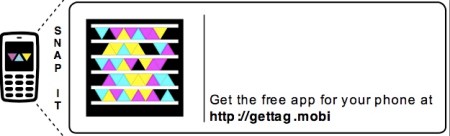
It's a secret what it points to!

Microsoft Tag is supposed to make it easy for you using your mobile phone to get to “something”.

Does it work?

Only you can tell me.

# # # # #


TECHNOLOGY: Microsoft Live Tag? My first

Sunday, January 11, 2009

My mystery barcoderfl_smart_tag

http://tag.microsoft.com

# # # # #


TECH PRODUCT: Kodak Frame gets an “NR” from a trusted blogger source

Friday, January 9, 2009

http://www.gadgetspage.com/misc/review-kodak-easy-share-wireless-picture-frame.html  

Review: Kodak Easy Share Wireless Picture Frame
from Gadgets Page by Matthew Strebe

*** begin quote ***

Kodak EasyShare W1020 10-Inch Wireless Digital Frame at Amazon.comI purchased the Kodak Easy Share Wireless Picture Frame with a specific purpose in mind: I wanted to immediately transfer motion sensor triggered photos from my Panasonic network camera at my front door onto a screen up stairs so we could see who was at the door before going downstairs to answer it.

{Extraneous Deleted}

Unfortunately, the love ended pretty early for this frame. Without fail, the wireless frame detached from my wifi-network after about two hours and stopped displaying anything, refusing to reconnect to the network until it was disconnected from power and restarted. It always reconnected immediately, which indicates that the problem is with the frame, not with the network (none of my other wireless devices have this problem). This problem makes it impossible for me to recommend this wireless frame until a firmware update that correctly addresses reconnecting to the network automatically is available.

*** end quote ***

This reminds me of the annoying “Continually Reconnect” to the home wifi network behavior that MCBA (Mac Book Air) exhibits.

(For which, I will be stopping by at the Apple Genius Bar next week to grouse about.)

I also rate anything that doesn’t work as “Not Recommended!”

Hopefully, if all bloggers pass this along, KODAK might get the message.

(But I doubt it. Business are tin eared! Look at their stock price and you can see the result!)

# # # # #


TECHNOLOGY: Don’t beleive tech support

Tuesday, January 6, 2009

Over on FACEBOOK, a fellow alum reported trouble connecting a Belkin Wireless Card to his home LAN.

*** begin quote ***

TRYING to get Elizabeth’s new wireless card working- Windows sucks!

*** end quote ***

I had given him the following advice.

*** begin quote ***

Suggest downloading and burning the latest UBUNTU distribution. Run it as “LIVE” boot up disk. (As opposed to installing it.) THis will quickly connect to the home lan and tell you, for sure, that it is WINDOZE. That’s good confimation to have. When I have WINDOZE problems like that, I delete everything in sight. And the REBOOT cold three times. (Three times is essential, imho, because it keeps stuff around until it is purged out.) Then, magically, let WINDOZE rebuild the hardware images. WINDOZE does (magically) bring itself back from the dead. No chicken etrails required.

*** end quote ***

He reported:

*** begin quote ***

“The computer had Windows XP from 2002 with no service packs. Even though Belkin said this wouldn’t matter- it did. I used an older wirless G card from another PC to connect to the router, ran the Microsoft XP updates and then put back the new card and it then worked fine.”

*** end quote ***

Argh!

I never thought about the Service Packs.

I responded:

*** begin quote ***

Thanks, Don. It’s the “after action” report with “lessons learned”. I was interested in. (I admit I thought you were still playing with it.) Interesting. I have a general problem with Microsoft Service Packs in that they apply “lots” of fixes. And, there usually on the tricky ones “no retreat” possible. It’s one reason, I have left the “Dark Empire” for good with respect to my “home” computing. An employer paying me can use what ever foolishness they want. I’m happy to collect a paycheck “checking chicken entrails” on Windoze. Personally, I just want stuff that works like the old telephone – cheap, flawlessly, every time, without thought. :-) Well at least that’s the illusion.

*** end quote ***

I still don’t like Service Packs due to the “sometimes you can’t go home again” nature of some of the fixes they apply.

That and the one size fits all nature.

And, you can’t “test”. We’re talking about most folks’ production environment now. You apply it and it breaks stuff, you’re screwed.

Argh!

# # # # #


SERVICE: Flash cards on the web

Monday, January 5, 2009

http://www.emilychang.com/go/ehub/app/cramberry/

Courtesy of Emily Chang:

*** begin quote ***

Jan 04, 09

Cramberry

A web app that helps people (students, actors, or anyone else) memorize things (schoolwork, lines in a play, etc.) using flashcards. Users create a blank “set” of flashcards, then name the set, and start adding cards to the set. Once you’re ready, the app presents these cards to you in a random order so you can answer the cards.

*** end quote ***

Tried it. One link wrong on their main page. But it does work.

Needs maturation.

(1) No export. (2) No way to monetize your sets of flash cards.

Interesting concept.

# # # # #


TECHNOLOGY: dot com name gets jumped and “tasted”

Sunday, January 4, 2009

I sought to register “technologyforbusiness” dot com. BLUEHOST reported it “available”. So I was proceeding to close on it. Your system reset? And, now it’s not available. From my 1and1 account I see it’s for sale for 1288$. Please explain?

# – # – #

Bottom line: The interest in the domain trigger a bot at one of the Domain Register that “seized” it. Domain Registrars are allow to reserve, or “taste”, domain names without paying for them for a week. It’s basically fraud. It was intended to allow registrars to hold the name while the applicant completed the transactions. Now it’s used to “front run”. On Wall Street, a trader would go to jail. On the internet, it’s a profit center.

Argh!

The laugh is that I don’t need the name!

# # # # #


TECHNOLOGY: Google “Picasa 3” not for Mac?

Wednesday, December 31, 2008

Interesting?

# # # # #  


SERVICE: “Windows Live SkyDrive” replaced “FOLDERSHARE” (No Opinion Yet)

Wednesday, December 31, 2008

http://help.live.com/help.aspx?project=live_folders

Welcome to Windows Live SkyDrive Help

*** begin quote ***

Store, organize, and download your files, photos, and favorites (A website whose web address is saved on your computer or an online server so that you can access it quickly and easily.) on Windows Live servers for free. Share photos and files that you create with your friends, collaborate on documents, or display photos and files that you create to anyone on the Windows Live network (A group of people someone communicates and shares with on Windows Live. Someone’s network includes people they’ve added to their profile, to their Messenger contacts, or both. People in someone’s network can see information about their latest activities in the what’s new list, and may see other information, depending on permissions settings.) . When you sign in to the Windows Live SkyDrive website with your Windows Live ID (The e-mail address and password that you use to sign in to Windows Live programs and services such as Windows Live Hotmail and Windows Live Messenger; Microsoft services such as Xbox LIVE, MSN, and Office Live; and other places where you see the Windows Live ID logo.) , you get:

   * Storage: Store up to 25 gigabytes (GB) of photos and files. The SkyDrive storage meter shows how much storage space you’ve used.

   * Organization: Arrange your files in top-level folders (A folder that appears in the Documents, Favorites, or Photos sections on the Windows Live SkyDrive home page. Also known as a root folder.) and subfolders (A folder that you create inside a top-level folder.) that you create.

   * Control: Choose permissions (A setting that lets you limit who can see and download files from your folders.) for each top-level folder that you create. Keep your photos, files, and favorites in personal folders (Only you can view or edit files in this top-level folder. You can use personal folders to store private files.) so only you can access them; in shared folders (Only you and people that you select can view photos and files in this top-level folder. For each person that you allow to access the top-level folder, you can assign the role of reader or editor.) so you can share them with your Windows Live network, your extended network (The people in your network on Windows Live—your Windows Live Messenger and profile contacts—plus the profile contacts of the people in your network.) , and people on your contact list (A list that contains the name and e-mail address of each of your contacts.) ; or in public folders (Anyone on the Internet can view photos and files in this top-level folder, but only you can edit the photos and files.) so that they can be viewed by anyone on the Internet.

   * Convenience: Keep track of your favorite websites even when you aren’t using your own computer.

   * Flexibility: Upload any photo or file up to 50 megabytes (MB) in size, and move, copy, delete, rename, and caption your photos and files after you upload them.

   * Display: Photos saved as the JPG, JPEG, GIF, BMP, PNG, TIF, and TIFF file types (A standard way of storing information on a computer by using the last three letters of a file name, known as the file extension, to indicate the file type. Different programs use different file extensions.) display with thumbnail (A miniature version of an image or electronic version of a page that is generally used to allow quick browsing through multiple images or pages.) images, and can be viewed by other users on SkyDrive or in an online slide show, if they have the right permissions to view them.

   * Sharing: Share links directly to your folders, files, and photos, or embed your photos and files in your blog (Short for weblog. An online journal. Each entry typically contains personal thoughts and web links, with the newest entries listed first.) or webpage. You can also let people know you’ve added their picture to SkyDrive by adding people tags (Textual data attached to a photo to refine its definition and meaning by identifying the person or persons in the photo.) .

*** end quote ***

Sigh. Didn’t migrate the FOLDERSHARE settings. Argh!

# # # # #


TECHNOLOGY: Slashdot has the beginnigns of a giant internet issue

Sunday, December 28, 2008

http://tech.slashdot.org/tech/08/12/27/1833202.shtml

*** begin quote ***

Fairpoint Pledges To Violate Net Neutrality

Posted by timothy on Saturday December 27, @02:46PM

from the we’ll-read-it-to-you-over-the-phone dept.

The Internet Censorship Communications

wytcld writes “Fairpoint Communications, which has taken over Verizon’s landline business in Maine, New Hampshire and Vermont, has announced that on February 6 ‘AOL, Yahoo! and MSN subscribers will continue to have access to content but will no longer be able to access their e-mail through the third-party Web site. Instead, Yahoo! and other third-party e-mail will be accessed directly at the MyFairPoint.net portal. Since Verizon spun off its lines to Fairpoint in a maneuver that got debt off of Verizon’s balance sheets by saddling Fairpoint with it, there was concern by the public service boards of the three states about how Fairpoint would deal with that debt. Fairpoint’s profit plan: force all Webmail users through Fairpoint’s portal, by blocking all direct access to Webmail portals other than its own. Will Fairpoint’s own search engine portal be next? What can stop them?”

*** end quote ***

Here’s one to watch.

Not sure where the needle is in this haystack! BUT, (there is always a big butt), it seems as if the ISP FAIRPOINT maybe, while taking over from Verizon, screwing all the customers.

I know that is a total surprise.

“I’m shocked, shocked to find that gambling is going on in here!” Captain Renault in Casablanca

At the very least, it’s a good reason NOT to use your ISP’s email address. I do feel sorry for all those @verizon.net users who now will have to change their email address. (I preach having your own domain! No one listens. Sorry, no sympathy here.)

I can’t wait to see how this plays out.

Whose got the popcorn?

# # # # #


SERVICE: Web service PLAXO should fix their limits. Then, maybe …

Friday, December 26, 2008

*** begin quote ***

Message from the Plaxo Pulse Team 1 day ago

Get more out of your Plaxo — Expand your network

There are only a few days left in 2008. At this time of year, people everywhere are re-connecting with friends, family and the professional contacts that mean most to them. Now, more than ever, it’s a great time to invest in your network. Making the right connections helps you stay in touch and can open new opportunities…

Plaxo offers many tools to help you find and connect with your friends and colleagues. Visit our connections page to see people you may know; find classmates and co-workers; or import new contacts to connect with.

Once you’ve connected with the people you care about, why not update your profile to let them know what’s new? Filling in with your professional history is a great place to start.

Investing in your network is not only enjoyable, but can pay great dividends in the new year.

Warmest wishes this holiday season!

The Plaxo Team

*** end quote ***

Maybe if they fixed their 10k limit, I might invest time on Plaxo. Not a minute before. Argh!

# # # # #


TECHNOLOGY: Another Search Service GODUCKGO

Thursday, December 25, 2008

http://duckduckgo.com/?q=%22manhattan+college%22+-marymount++-%22marymount+manhattan+college%22+-%22borough+of+manhattan+college%22+-marymount+-manhattan.edu+-bmcc.cuny.edu+-msmnyc.edu+-mancol.edu+-gojaspers.com+

“manhattan college” -marymount -“marymount manhattan college” -“borough of manhattan college” -marymount -manhattan.edu -bmcc.cuny.edu -msmnyc.edu -mancol.edu -gojaspers.com

I’m a sucker for search engines to “find” my fellow Jaspers. Here’s one that I didn’t see the value of. Doesn’t mean it’s not there. Just I do not see it. Do you?

# # # # #


SERVICE: When you get defreinded, how do you know that the site hasn’t just made an error?

Thursday, December 25, 2008

Amusing. THe WSJ just covered “de-friending” at the awkwardness.

How do I know that “de-friending” isn’t just the social networking site making a mistake.

And, the WSJ article and other bloggers have pointed out that you may need that person you “de-friended” in the future.

Better just to ignore it.

# # # # #


HARDWARE: Seagate reduces warranty from 5 to 3 years. Bad move!

Monday, December 22, 2008

http://www.plaxo.com/events/show/120404522

Lockergnome Blog Network]

Chris Pirillo posted a blog entry

Seagate’s New Warranty Policy – Who Are They Kidding?

*** begin quote ***

Reported this morning on ZDNet, the Seagate company will be changing its warranty policy on many drives, beginning January, 3, 2009. The statement from the company gives a figure of only 5 % of the failures occurring in their drives between years 3 and 5 of service.

This may be so, but if it is, it shows a policy that has been decided by people who know little about perceived value and human psychology.

In many cases today, a choice between a Seagate drive and a drive, of equal size, from Western Digital or Hitachi is possible. I don’t really consider Fujitsu or Samsung drives here, as they are not widely available, or well known to the average consumer. Seagate and Western Digital are the heavy hitters here, and many don’t know the name Hitachi, and are slightly more comfortable when told that Hitachi is really what had been sold for years as IBM-branded product. In a $75 to $175 purchase, the difference of 5 to 10 dollars is hardly worth worrying about, and many times the drives are sold at equal prices.

What then, affects the decision process?

*** end quote ***

Seagate blew this one. They’ve reverted to the competition. Now the only differentiator is price. That means that disk drives are a cheap commodity. Cheapest price.

How stupid!

Sell that stock!

# # # # #