Ipad1: interesting problem

Saturday, November 24, 2012

I have never been happy with the “app store” concept. As usual, immoral, inefficient, and ineffective.

(this is, as readers of my blog will know, my standard meme for gripes. Stuff that’s immoral is always wrong. Ineffective is does it work. Inefficient is it easy and cheap.)

The “app store” concept is;

~ “immoral” in that it transfers control from the “buyer” to the “seller”

~ “ineffective” in that problems are insoluble; support is non-existent

~ “inefficient” in that it doesn’t work flawlessly

My current gripe is the GMAIL icon has disappeared from the front screen, but is running in the background. I get alert messages on new email.

Double clicking start does not show it in the task list.

A hard restart or a soft restart doesn’t recover it.

App store thinks it is installed.

Argh!

I have had problems with app store in the past that were never solved.

Argh squared!!

Loss of control of my device annoys me.

–30–


IPAD: IPAD3 no power

Tuesday, October 23, 2012

Into the Apple store tonight for service. Luckily under contact. Argh!

There re no lights on the cable or the wart to tell you that’s failed. 

Since it powered the IPad1, I pretty sure it’s the IPAD3.

And, tell me again how much better Apple hardware is?

# – # – # – # – #  2012-Oct-23 @ 14:58  


HARDWARE: Cox Cable Yankee game on IPAD

Friday, October 12, 2012

Watching the Yankee game live on Cox Cable. I have the cox app on the IPAD3. Interesting that the IPAD feed is at least a full minute behind the TV.

Go figure?

Hmm, “past posting” comes to mind.

LOL!

–30–


IPAD: Why isn’t the loyalty card app on the ipad?

Sunday, September 30, 2012

why isn’t the loyalty card app on the ipad?

seems strange to me.

#####


HARDWARE: Computers go toes up for many reasons

Monday, September 24, 2012

Every computer user should have a Carbonite or it’s equivalent. Computers go toes up for many reasons. After your platform becomes a smoking hole, or even just a hole when it gets stolen, what are YOU left with? Other than a “woe is me” tale. Astonishing to me is how few people have ANY backup strategy. No “Plan B”. Having paid tuition at that particular division of the University of Hard Knocks, I have no intention of revisiting the panic, dismay, and frustration of losing it ALL. (Not my fault. My employer had an enterprise backup plan. My platform was ‘overlooked’. Good bye 6 months of work. Some irreplaceable.) I’ve experienced this personally — two hard drives, one power supply, and one theft. with minimal impact. So, I am a firm worshiper at the “Church of Belt and Suspenders”! I’ve got layers of recovery. All set on automatic pilot. YMMV! But don’t expect sympathy from me when yours spinns, crashes, and burns.

p.s., I’m not shilling for Carbonite but for 60$/year, why not?

>Manhattan College ITS Blog: Saving Files
>itsblog.manhattan.edu

# – # – # – # – #   


SERVICE: Another cloud service leaves its Users out to lunch; caveat emptor …

Saturday, September 22, 2012

Multiply.com

Hello.

This is Stefan Magdalinski, CEO of Multiply.

Over the past year and a half, Multiply has shifted its business focus on expanding its e-Commerce presence in Southeast Asia, concentrating primarily on the Philippine & Indonesian markets. It is for this reason that we have moved the Multiply Headquarters from Florida, USA to Jakarta, Indonesia.

You know from my last update that as part of this shift in strategic focus to online shopping & selling, we will no longer support the social networking features beyond December 1, 2012. We know this decision is an unpopular one, but rest assured it was carefully considered, and we feel that it is only through single-minded focus that we will achieve our goal to be Asia’s most loved online marketplace.

For our users who utilize our social network features (blog, video, photo, etc), we realize that this is painful, and we are launching some tools to help you preserve your content or move it to another platform.

The export tools are now available below your headshot on your Multiply site and enable you to do the following:

Download your content to your computer
Export to Blogger (a blogging platform owned by Google)

There are efforts to offer ways to migrate your content to other platforms such as Tumblr and WordPress but these are still in the works and we will keep you updated as things progress.

Using the export tool:

Visit your Multiply page (example: multiplyid.multiply.com)
Click one of the options available on your Multiply page (below your headshot):
Download Media: to download all media files
Export to Blogger: to transfer your blogs to your Blogger page
Choose file you would like to download
You will receive an email (via the email address registered to your Multiply account) containing a link to download all your Multiply files along with instructions on how to import them to Blogger.

Sample Email(Sample Email)

These tools will be available until December 1, 2012 for you to migrate your content. There are efforts underway to offer ways to migrate your content to other platforms such as Tumblr and WordPress, and we will keep you posted as these options materialize.

For more information, please read this list of Frequently Asked Questions on this process.

Should you have any questions regarding the export tool, please let us know by dropping an email to support@multiply.com.

Thank you for your kind attention. It has been a joy to have been your trusted partner in the storage and sharing of your lives online and we look forward to remain a part of your lives as we complete our transition into SEA’s leading online marketplace.

Warm Regards,

Stefan

Note:
If you are using custom CSS the links to the export tools may not be visible under your headshot. In this case you can use the following urls to access them directly

http://(INSERT USER ID).multiply.com/download-media
http://(INSERT USER ID).multiply.com/export-to-blogger
http://(INSERT USER ID).multiply.com/export-to-tumblr

# – # – # – # – #   


IPAD: Upgraded to IOS6 last night

Thursday, September 20, 2012

My IPAD1 is now an orphan. Like my original MACBOOKAIR, which was left behind as “obsolete” a few months ago. Aghh!

Victims of Apple’s planed obsolescence strategy.

argh!

(So why did I sign up for an IPHONE5? Pride, stupidity, ignorance!)

Of note, upgrade took over an hour. 

Also, the “initialization sequence” happens in portrait mode while the screen was locked in landscape. The obligatory reading was in too a tiny font for these old eyes. And, like most “shrink wrapped licenses”, what choice does the User have at that point?

Stay tuned as the “adventure” continues.

Argh!

# – # – # – # – #   


SERVICE: LastPass offers Grid Multifactor Authentication to free Users

Saturday, September 1, 2012

http://helpdesk.lastpass.com/security-options/grid-multifactor-authentication/

*** begin quote ***

At LastPass, we strongly encourage our users to take advantage of our multifactor authentication options. Multifactor authentication requires the user to present both username/password and information from another, often physical, item. This means that if a hacker gets your password, they are still unable to access your LastPass account without this second factor.

LastPass offers multifactor authentication as a Premium feature, but we also believe that everyone should be protected online, so we have created the Grid Multifactor Authentication as a feature available to both Premium and non-Premium users.

*** end quote ***

Another service beefs up security.

# – # – # – # – #   


SERVICE: Dropbox two-step authentication

Friday, August 31, 2012

http://lifehacker.com/5937946/dropbox-rolls-out-two+step-verification

Dropbox Adds Two-Step Verification for Enhanced Security, And You Should Turn It On Now [Dropbox]
by David Galloway

*** begin quote ***

Dropbox Adds Two-Step Verification for Enhanced Security, And You Should Turn It On NowMost security-minded computer users know about Google’s two-step verification process, but other popular webapps like Facebook and Amazon have also added this great way of reducing your chances of being hacked. Today, Dropbox joins the two-step verification party .

To enable Dropbox two-step authentication you’ll need to allow Dropbox to send you a text message with a code or use a mobile authenticator app if you don’t want Dropbox to have your phone number. Either way works fine and enables the “something you have” plus “something you know” steps to help keep you safe.

To get started go to your account settings page on Dropbox, click on the Security tab, and scroll down to the bottom of the page and enable two-step verification. Or just click this link.

*** end quote ***

GREAT!

We need two factor on more critical inet services.

# – # – # – # – #   


HARDWARE: CHROMEBOX; my experience

Tuesday, August 28, 2012

http://reviews.cnet.com/desktops/samsung-chromebox-series-3/4505-3118_7-35313576-2.html

Samsung Chromebox Series 3 review

*** begin quote ***

The Chromebox does support dual-display output, but right now it will only mirror the desktop image to both displays, rather than extending a single operating environment across multiple screens. Again, the system chooses the output resolution automatically, in this case opting for the highest common resolution between both monitors.

Along with connecting a monitor to the Chromebox, you must also provide your own mouse and keyboard. That opens up a larger discussion about device compatibility, which is less of an issue for the Chromebook considering its built-in Webcam and input devices.

Six USB 2.0 ports on the system (two in front, four in back) imply broad support for the vast ecosystem of USB devices. I did not expect the Chromebox to support every esoteric peripheral, but I was also surprised by how quickly I found devices that didn’t work.

*** end quote ***

MY experience mirrors the review with one big positive and one surprising negative.

Positive: This puppy doing gmail is FAST. Like an idiot savant, it renders web pages quick like a bunny.

Negative: I never realized how much I depend upon text expansion utilities. 

I’d buy a CHROMEBOOK to replace my obsoleted MACBOOKAIR. (That alone makes me a NEGATIVE Apple Fan Boy. What is the opposite of a FAN boy?)

So, I’m stuck. I am getting off the Apple “upgrade” treadmill. I’m burnt out on Microsoft problems. Not sure if Ubuntu will give me text expansion. 

Welcome to the “glue trap” or worse whatever.

Sorry, but CHROMEBOOK isn’t ready for me. BUT, if you have kids or old folks, it’s perfect and cheap!

# – # – # – # – #   


SERVICE: GIST goes bye bye; don’t depend on anything in the cloud?

Tuesday, August 21, 2012

Gist
We started Gist in 2008 to make connecting with your key contacts faster and easier to help you create stronger business relationships. In February of 2011, we become part of Research In Motion (RIM) to bring the Gist vision to millions of BlackBerry customers. Since our acquisition we built the BlackBerry Playbook Contacts app and more recently, our team has been tasked with creating the native address book/contact manager for the next generation platform, BlackBerry 10.

In addition to our core focus on the Contacts app, we have been given expanded responsibility for everything social at RIM including BlackBerry Messenger, Facebook and Twitter apps and instant messaging as well as much of the identity platform, location services and user analytics features.

With all this responsibility, we feel even more empowered to deliver a truly unique and amazing experience for aggregating, enhancing and connecting you deeply with your key contacts. All of this feels pretty exciting, but you may have noticed limited innovation on the core Gist product offering over the last year. In an effort to make the most of our new focus, we have, with heavy hearts, decided to shutdown the stand-alone Gist service. Sigh.

As of today, we are no longer accepting new users and Gist.com will officially be closing on September 15, 2012. Click here to read the blog post and learn how to get your data out of Gist so you can transition to another service.

Thanks,
The Gist Team
http://www.gist.com

# – # – #  

Argh!

# – # – # – # – #   


SOFTWARE: Peanut Butter PC; better than nothing?

Tuesday, August 14, 2012

http://www.techrepublic.com/blog/window-on-windows/peanut-butter-pc-trying-to-keep-kids-safe/6428?tag=nl.e101

Peanut Butter PC: Trying to keep kids safe

*** begin quote ***

Bottom line

In summary, although Peanut Butter PC as a product offers a good idea for making the computer safe for kids, some youngsters with more crafty hacking smarts could get around the confines of the custom desktop and back into the cruel, unprotected world of regular Windows. Although this application serves as a decent roadblock for some that aren’t familiar with computers, it cannot be considered a replacement to parental supervision. It is always important to monitor your child’s usage of the machine, just in case someone does end up finding a way around the fence. At the price of $24.95, it might be worth considering after you give the software a test run via Peanut Butter PC’s 15-day trial.

*** end quote ***

Putting computing power in the hands of children is at best a calculated risk.

Perhaps, by putting it in their hands earlier, with instruction, examples, and SUPERVISION, can make it safer for all involved.

If I had a family, I’d put OPENDNS in the family’s router. That’ll help.

Reviewing logs is a good way to get to sleep at night.

# – # – # – # – #


HARDWARE: Retire old hard drives?

Monday, August 13, 2012

http://www.donationcoder.com/forum/index.php?topic=31811.msg295493#msg295493

Should we pre-emptively retire old hard drives?
« on: August 02, 2012, 01:52:50 AM »

*** begin quote ***

We all know that hard drives can and will fail eventually, and often unpredictably and without warning. That’s why we make sure we back up regularly.

But here’s is a question I’ve been thinking about lately, and I don’t know the answer to:

Should we pre-emptively retire old but perfectly-working hard drives, and migrate data to a new drive? If so, after how many hours?

Or should we just run them into the ground until they fail?

Here’s a screenshot of one of my favorite tools (CrystalDiskInfo), showing smart data of my oldest drive, with 39,000 hours powered up:

*** end quote ***

What a GREAT question?

I’ve have NEVER heard it asked before. (And, I’ve been in and around it for a LONG time!)

I’ve been burnt by hardware failures a few times. Couple of times the hard disk died. Couple of times it was the supporting hardware.

(The disk might have well died. Thanks, DELL, for using a proprietary motherboard / disk drive combination. Couldn’t just take the good drive from a dead mother and slap it in another DELL as a primary or secondary. That consumed a HUGE number of hours of me, my hardware savvy tech friend, and DELL “technical support”. That one HURT! Turns out most of the backups I’d taken were corrupt. Good thing I’m a “belts ‘n’ suspenders” kinda guy. Had PRINTED copies of data. Paperless society my <synonym for donkey>!]

Cloud is the ultimate backup.(Another great business idea missed thanks to my “huevos muchos pequeño”!) But even that cloud solution can fail. What do you do if you can’t connect?

Argh!

Two of my more SPECTACULAR failures were, both times in a corporate setting — different employers — where I was REQUIRED to depend on centralized IT back up service, when I depended upon those others and … (wait for it) … one time my platform was “overlooked” and at the other place “ALL my backups for THREE <synonym for the act of procreation in real time> YEARS were corrupt”.

Double Argh! or is that (Argh!)**2?

Just writing this I’m now getting crazed because my current employer is another of those “you must use the centralize backup service” kinda places. 

(Note to self: ask them to restore some random file every week!)

# – # – # – # – #   


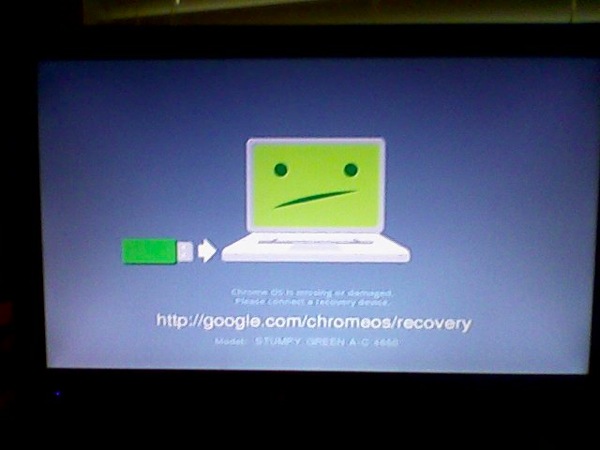
CHROMEBOX: The first start of CHROMEBOX

Tuesday, July 24, 2012

The first start of CHROMEBOX. Not very auspicious!

2012 07 20 CHROMEBOX


SERVICE: OPENDNS recommended for everyone

Thursday, July 19, 2012

*** begin quote ***

Announcing new Parental Controls categories

We recently announced several improvements to the Domain Tagging system, our content categorization engine, and two new categories that you can enable for your home networks, effective immediately, to secure your family’s Web browsing.

As with every new feature we deliver, these improvements are the direct result of your feedback. Our team spent weeks evaluating both the current categories and your suggestions, and ultimately we decided which categories need to be added and which ones could use a facelift. By simply logging into your Dashboard and adjusting your custom settings, you can now filter Anime/Manga/Webcomic and Click/Survey/Pharmaceutical Web Spam. To our knowledge, OpenDNS is the first and only filtering service to offer a Web spam category, though Web spam is increasingly present online.

As the Internet evolves we’ll continue to evaluate our Web filtering categories and your requests to make sure we’re ahead of the curve. If you’d like to get more involved, join our Domain Tagging community and help make the Internet better for millions around the world!

*** end quote ***

Item #4 is for those with children. First this is free. Second, it’s invisible to all but the most techie kids.

* Open a free account on OpenDNS. (Not even sure this is required, but it’s a trivial step that allows them to enumerate their User community.)

* Open your favorite browser, connect to your router, (usually http://192.168.1.1 or 2.1)

* Find the screen where the router holds the DNS entry. (Easy. Most routers have tabs on their admin screen. One will be labeled: “DNS”.)

* Replace what the ISP gives you (theirs. so they can collect ad $ on you) with the OpenDNS values. 208.67.222.222 208.67.220.220.

That’s it. Each platform that starts up will shift to use the OpenDNS.

No one is the wiser that you’re protecting them.

You should check from time to time. You don’t “own” the router; the ISP does. From time to time, they will push a “refresh” or “software update”. (Not for your benefit, but theirs.)

Some of the more paranoid, not me, actually put another router after the ISP router. They wish to prevent the ISP from browsing their platforms or seeing the intra-platform traffic.

FMPOV who cares.

p.s., I use OpenDNS to prevent popup porn, phishing, and malware. Been using it for eons. I don’t understand why more people don’t. Don’t have to think about it. Most bad sites just won’t resolve. YMMV

# – # – # – # – #   


HARDWARE: My MACBOOKAIR is abandoned by Apple

Wednesday, July 18, 2012

http://arstechnica.com/apple/2012/07/confirmed-mountain-lion-sends-some-64-bit-macs-gently-into-that-good-night/

Confirmed: Mountain Lion sends some 64-bit Macs gently into that good night
Rage if you want, but it appears the reason is related to graphics drivers.

by Chris Foresman – July 11 2012, 8:30am EDT

# – # – #  

A very expensive love affair with the MacBookAir is over.

Apple has left me behind. 

Time to cut my losses.

Apple is a dead end.

Planned obsolescence to the n-th degree.

Sorry, but APPLE has just gone on my NOTRECOMMENDED list.

Time to revisit UBUNTU.

# – # – # – # – #   


MACBOOKAIR: Time to plan an exit

Wednesday, July 18, 2012

Well, it is time to play they exit from the MCBA. Then, salvage what value I can from this trek down a technology mistake. A very expensive lesson.

So, what has to be done and what direction to take?

*Strategically, back to wintel, chrome tops, on to the cloud platform agnostic, or Linux?

* Strategically, what cloud services are impacted by platform, if any

* Strategically, where do the iPads fit in the technology plan

* Strategically, glad I didn’t lock into an iPhone. Do I need a “smartphone”. Don’t think so.

* Strategically, the mifis look smart now!

* Tactically, what about iCloud?

* Tactically, what about @me @mac

* inventory the apps on the MCBA

* what gets left on the island until the platform dies

* inventory the hardware that supports it

* what functions does it support and what’s the transition?

* What can be salvaged and sold off?

Argh, more work!

******


SERVICE: Son of CARDSCAN, ScanBizCards, panders for business. Fool me once …

Tuesday, July 17, 2012

Dear Dymo CardScan customer,

As you may already know we discontinued CardScan At Your Service (AYS) at the end of last year. AYS was an online service integrated with the CardScan which synced all your cards to a web-based database, for backup and to manage your contacts from any browser. Instead we have selected a powerful, comprehensive replacement service provided by ScanBiz Mobile Solutions and have made it available to former AYS users since February. We now invite all CardScan users to consider the ScanBizCards Web Sync service.
Benefits
The ScanBizCards solution is comprised of:
1. Web Sync: A web-based account to backup and manage all your contacts from any browser
2. CardScan Sync: a Windows desktop utility to keep your CardScan database (CDB) files in sync with your Web Sync account on the web.
3. ScanBizCards mobile apps: optional mobile apps to carry all your contacts with you on your iPhone/iPad, Android, Windows Phone and (coming soon) Blackberry.

The ScanBizCards solution provides many of the same features as AYS – and much more:
* Cloud backup and sync: keeps all your CardScan contacts in sync with your private Web Sync account in the cloud. Every card you scan and every edit you make to existing cards is automatically uploaded to the web.
* Bi-directional sync: syncing is both ways – every card you create or edit on the web updates the corresponding CardScan database (CDB) file on your local desktop. Installing the ScanBizCards Windows utility on a new desktop automatically creates a copy of all your CDB files. Note: syncing cards down to the desktop is only available for Windows.
* Many powerful web-based features such as:
– Browse and edit all your cards on the web from any browser
– View cards in “thumbnail view”, or a more efficient list view, or even on a map of the world (Map View)
– Export cards to various applications / email providers such as Outlook, Gmail, Yahoo Mail, Hotmail, Mac Address Book – or create a generic Excel CSV for other apps.
– Quarterly “keep current” system: send a request to your contacts asking them to review and update their own contact information (coming soon)
* CRM integration: available right now to Salesforce.com, SugarCRM and Daylite (from the iOS or Android mobile apps), more CRMs planned for this summer (please ask us for the one you use).
* Human transcription: don’t have time to review scan results for accuracy? Just submit cards for human transcription and the ScanBizCards transcription team will do it for you
* Go mobile: carry all your contacts “in your pocket” at all time by installing the ScanBizCards mobile apps on your iPhone/iPad, Android, Windows Phone and Blackberry (coming soon). Please check http://www.scanbizcards.com for more information.

Getting Started
The ScanBizCards solution costs $20 for the first year and $10 for each additional year thereafter. Click http://www.scanbizcards.com/dymo for more information about signing up and installing the Windows CardScan Sync utility. Note: for Mac users a web-based CDB upload method is available instead, click http://www.scanbizcards.com/dymo-upload for more info.

Questions?
Please email cardscan@scanbizcards.com with any question or issue or call +1 (646) 926-4095 (New York)

Sincerely,

The DYMO team

DYMO, a member of the Newell Rubbermaid family of brands.

Please do not respond to this email address, this mailbox is not attended. Please click here to email us directly.

You are receiving this email because you have registered a DYMO product. If you no longer wish to receive emails from us please unsubscribe here. Your privacy is important to us click here to read our privacy policy.

This email was sent by: DYMO, 3 Glenlake Parkway, Atlanta GA 30328 , USA © 2012 DYMO. All rights reserved.

 # – # – # – # – #   

And, why should I trust “you” again?

You promised a free service if I bought your over-priced scanner. I did. You reneged. Now you want to sell me the same service?

fuhgeddaboudit! (translation from the Brooklyn dialect: “forget about it” with a sneer.) 

# – # – # – # – #   


SOFTWARE: Open source isn’t a bad deal versus “Pay for”

Saturday, July 14, 2012

*** begin quote ***

That said, if you lean towards economics and like to think about the long-term costs of open source software, you may have brought to mind the old adage “There’s no such thing as a free lunch”. (Or, as it is commonly used to compare with open source, a Free Beer.) Open source software rarely comes with the technical support and warranty services that proprietary software provides. So while you may not pay upfront now, the expenses for the software maintenance and upkeep may accumulate and charge you in the future.

*** end quote ***

Anyone get any support from the commercial firms like microsloth?

Even in large organizations it’s a joke.

Unless your contract is up for renewal. The you are up to your in SEs, AEs, VPs, and unnamed executives.

Open Source usually has an interested community who is actually interested in your issues.

Some of my BEST support experiences have been from “Open Source”, “Free Software” communities.

I’m not sure how to harness it. But if I ever do, Bill Gates move over. The neighborhood’s getting a double wide.

******


SERVICE: Google Apps v. Office 365

Thursday, July 12, 2012

http://www.techrepublic.com/blog/datacenter/google-apps-v-office-365-summary-which-is-better/5637?tag=nl.e019

The Enterprise Cloud
Google Apps v. Office 365 summary: Which is better?
By Ian Hardenburgh
July 5, 2012, 12:20 PM PDT

*** begin quote ***

Takeaway: Ian Hardenburgh sums up his research on the Google Apps and Office 365 suites. He has a preference, but it still comes down to individual needs and your number of users.

*** and ***

So, which is better?

So at this point, you’re probably saying, that’s all fine and dandy, but which service is truly the better of the two? Well, I’d have to say Office 365, but only if your organization is prepared to (1) pay a premium (for a truly premium service), (2) take advantage of the advanced set of features noticed with auxiliary services like SharePoint Online, and (3) have the resources to thoroughly train your staff on the on-demand technology (You will have users saying, “Can’t I just have Office on my PC like I used to?). Otherwise, the scalability of Google Apps, combined with the applications and professional services that can be gained from its Google Apps Marketplace is a very close second.

Therefore, in my humble opinion, I’d say most enterprises, with the exception of extremely large ones, can be well-served by Google Apps. In increased summation, go with Google Apps if you’re a small enterprise and Office 365 if you’re a large one. It really is a crapshoot if you have somewhere between several hundred and ten-thousand users (what I consider a medium sized enterprise). Hey wait, I guess comparing Google Apps and Office 365 was simply a matter of enterprise size after all!

*** end quote ***

The choice is much harder for the “amateur” trying to get work done in the most flexible cheapest fashion.

Cloud is great if the inet is always there for you. (Only a Fortune 500 CEO or Gooferment bureaucrat has that.)

There are still format and User interface issues.

True Client – Server cooperative productivity apps are few and far between. 

Stuff changes in the wink of an eye.

Microsoft and Apple and Google all have their flaws.

Seriously, I don’t know. A plague on ALL their houses.

# – # – # – # – #   

# – # – # – # – #   


HARDWARE: Retina MacBook Pro demonstrates Apple wants to be an “appliance company”

Tuesday, July 10, 2012

http://www.techrepublic.com/blog/cracking-open/teardown-shows-retina-macbook-pro-is-nearly-impossible-
to-upgrade-difficult-to-work-on/696?tag=nl.e101

Home / Blogs / Cracking Open
Teardown shows Retina MacBook Pro is nearly impossible to upgrade, difficult to work on
By Bill Detwiler
July 5, 2012, 10:08 PM PDT

*** begin quote ***

Missing “Pro” features

And if all this wasn’t enough, Apple also dropped two features that set the MacBook Pro apart the thinner, but less “professional” MacBook Air–an Ethernet port and optical drive.

*** end quote ***

For awhile I was an Apple fan boy. For a very very short time before that I was a Wintel fan boy. Both times I’ve quickly soured over “offerings”. 

For Wintel, it was bloatware, crapware, feature creep, automatic updates, DRM, activation. But what really put the ultimate knot in my shorts was win rot. That almost mandatory bare metal restore every six to nine months was unacceptable. 

A brief love affair with Linux, it was just too hard to install. Too many distributions to choose from. And, they really wanted you to be a hardware geek. Personally, I’m astonished that large organizations with dedicated IT staffs haven’t jumped on this as opposed to Microsoft and it’s upgrade treadmill.

That all led me to Apple. I jumped in with Mac Book Air. And, for the most part it’s served me well. Except, like Wintel, it has Mac Rot. I’ve got several problems that the Geniuses haven’t solved and requires fairly frequent reboot. A bare metal install without a Lion distribution disk scares me silly.

I don’t like the whole app store concept. 

Personal computing has morphed into being a pawn or cash cow for the big guys.

Maybe it’s time to revisit Linux.

But, I’m going to try a Chromebox first.

Maybe I’ll be a Google fan boy next. I doubt. I always seem to find the man behind the curtain.

# – # – # – # – #   


SERVICE: Yahoo! Groups Labs Applications (beta) and Groups Chat — goodbye

Saturday, July 7, 2012

ygroupsnotifications@yahoogroups.com via ng4-ip2.bullet.mail.bf1.yahoo.com

to JasperJottings.

Dear User,

Unfortunately, the time has come to say goodbye to Yahoo! Groups Labs Applications (beta) and Groups Chat. We thank all the users that were a part of this program. We intend to use this learning to enhance Yahoo! Groups further with new features.

On July 04, 2012, we will shut down the Yahoo! Groups Labs Applications (beta) and Groups Chat. We request you to backup any data that you might have created using the applications.

This closure will not affect your other services on Yahoo! Groups.

We look forward to continue having you as our customer.

Best,
The Yahoo! Groups Team

# – # – #  

You can’t depend on Cloud apps not changing on you. Free is just a hook up. If you’re not paying for it, then you have zero assurance.

# – # – # – # – #   


TECHNOLOGY: Solve those traffic jams … please!

Sunday, June 24, 2012

http://www.impactlab.net/2012/06/04/32-technological-innovations-that-will-change-your-tomorrow/

June 4th, 2012 at 3:20 pm
32 technological innovations that will change your tomorrow

*** begin quote ***

6. The Congestion Killer

Traffic jams can form out of the simplest things. One driver gets too close to another and has to brake, as does the driver behind, as does the driver behind him — pretty soon, the first driver has sent a stop-and-go shock wave down the highway. One driving-simulator study found that nearly half the time one vehicle passed another, the lead vehicle had a faster average speed. All this leads to highway turbulence, which is why many traffic modelers see adaptive cruise control (A.C.C.) — which automatically maintains a set distance behind a car and the vehicle in front of it — as the key to congestion relief. Simulations have found that if some 20 percent of vehicles on a highway were equipped with advanced A.C.C., certain jams could be avoided simply through harmonizing speeds and smoothing driver reactions. One study shows that even a highway that is running at peak capacity has only 4.5 percent of its surface area occupied. More sophisticated adaptive cruse control systems could presumably fit more cars on the road.

When a quarter of the vehicles on a simulated highway had A.C.C., cumulative travel time dropped by 37.5 percent.
In another simulation, giving at least a quarter of the cars A.C.C. cut traffic delays by up to 20 percent.
By 2017, an estimated 6.9 million cars each year will come with A.C.C.

*** end quote ***


HARDWARE: POGOPLUG highly recommended

Saturday, June 23, 2012

and …

Perhaps, I haven’t explained myself well.

About the pogoplug and the disk drive.

You plug both into any power strip.

The disk drive plugs via usb into the pogoplug.

The pogoplug plugs via an RJ45 (local area network connection) (looks like a fat phone wire with bigger that a phone socket plugs on each end) into the ROUTER.

Note: it doesn’t plug into ANY computer.

(You can, but you don’t HAVE to. The value of this little 45$ linux box is that it is it’s own computer / appliance.)

Once you do that, I can give you a directory on the drive that you can:

(a) “mount” the drive on any computer on your home lan (wirelessly or wired) and use as you would the hard disk that’s internal to that computer. Including IPADs, ITOUCHs, IPHONES, and most smart phones.

(b) by correctly defining any path to the pogoplug via it’s web interface, it will give you a URL that you can “publish”, share, or use yourself.

So, for example, Luddite can upload his corny spam megabyte movie files to is and any one who has the link can look at it. ANd, would CLOG everyone’s mail systems with HUGE files.

So, for example, MIX2 can put the that big video on the “platform” and only allow certain people to see it. (Even if someone has the link, they can’t see it. I think it comes back “404 url not found” or something like that.)

SO, you can think of pogoplug as a “personal / group / public” cloud solution.

I’d like to deploy them at all my favorite people’s routers so that I can have off-site storage. (The power is use is about 8$ per year I’m told.)

I think it’s a neat device.

# – # – # – # – #


SERVICE: FACEBOOK has risks; parents should engage a “Glenda”

Tuesday, May 29, 2012

I found something disturbing aimed at one of my young Facebook “friends”.

(You know they “friend” me when they think it’s “kool” to have some “friends” and want to build up their count. Then forget that the fat old white guy injineer “stalks” them forever. Like Glenda the Good Witch, watching over them and their online presence.)

So, I immediately alerted on it to the “command authority” (i.e., her parents) via the approved channels (i.e., her aunt).

Action was taken.

This post suggests that parents need to have a view into their children’s onine activities.

Of course, I offer my “glenda service” at my usual discount. (LOL!) But, you’ll have to be “kool” about how you get a Glenda on to their friend’s list.

“Wonder what that crazy old koot is up to this week end? You see him on Facebook don’t you, dearest child of mine?” May work?

Or, find a trusted friend or relative that the child has already been “friend-ed” during their naïve days, and assign them Glenda duty.

Forewarned is forearmed. Or in this case, four eyeballed. (Yeah, I know it falls flat. But you get the idea!)

# – # – # – # – #   


TECHNOLOGY: Domain Name price increase sparks “clean up”

Sunday, May 13, 2012

Guess I have to begin to get organized about my domains. 

I’m a great believer in the “spaghetti theory” of domains. Have a great idea? Throw up a domain or two and see what sticks. 

For every “box of nickels” and “box of nickles”, there are a lot of “memetaxonomy”, “auntie collector”, and “ram 1968”. 

With the price increase, the cost of being sloppy in going up. 

Perhaps, there’s a better deal for registering domain names?

But first one has to have a list of one’s domain names.

Last time I got this bug was when I thought that GODADDY’s soft porn advertising campaign was worthy of some moral outrage. It was bait and switch cause the uncensored version didn’t really show anything …

(Yes, all men are pigs. And, I had to do penance for that near occasion of sin. Just seeking it, as of course a purely IT research activity, was deemed by my priest as “really?”. Can’t get anything by him.)

… and wasn’t even funny!

So, now I have the bug again. 

Let the domain hunt begin! 

Argh! 

(Thus demonstrating I have no life. When a tiny price increase gives my life real meaning. Sort of one step short of those “extreme couponers”?)

# – # – # – # – #   

Customer ID: 9113251

Dear Ferdinand Reinke,

1&1 Internet Inc. appreciates your business and strives to consistently provide the best quality domain and web hosting services to our customers.

We are writing today to inform you that as a result of recent price increases by
the major domain registries, we need to increase the annual
rates for .com domains. In order for 1&1 to stay
competitive and continue to offer you excellent services, we have made
the following adjustments to our pricing structure.

For domain renewals and new orders as of 07/01/2012, the following domain
rate changes will apply:

*.com domain renewals will be increased from $9.99
to $10.99 per year.

The new price for your domain(s) will be applied to your next domain
renewal after July 1, 2012.

1&1 is committed to offering very competitive prices and professional
services in the domain environment and we hope to continue to meet and
surpass your service expectations.

===========================================================================

PLEASE NOTE:
This price change does not affect any free domains included in your package.

===========================================================================

ANY QUESTIONS?

If you have any questions or concerns regarding your account, please contact
our support representatives and they will be happy to assist you.
So that we can reply as quickly as possible, please contact us via e-mail
at contracts_us@1and1.com.

Thank you for choosing 1&1 and we look forward to your continued
success.

Sincerely,

Your 1&1 Team
1&1 Internet Inc.
http://1and1.com

# – # – # – # – #   

P.S., SPS (i.e., Self Praise Stinks)! “excellent services”? Never, even if true, throw your own bouquets. imho!

# – # – # – # – #