HARDWARE: Retire old hard drives?

Monday, August 13, 2012

http://www.donationcoder.com/forum/index.php?topic=31811.msg295493#msg295493

Should we pre-emptively retire old hard drives?
« on: August 02, 2012, 01:52:50 AM »

*** begin quote ***

We all know that hard drives can and will fail eventually, and often unpredictably and without warning. That’s why we make sure we back up regularly.

But here’s is a question I’ve been thinking about lately, and I don’t know the answer to:

Should we pre-emptively retire old but perfectly-working hard drives, and migrate data to a new drive? If so, after how many hours?

Or should we just run them into the ground until they fail?

Here’s a screenshot of one of my favorite tools (CrystalDiskInfo), showing smart data of my oldest drive, with 39,000 hours powered up:

*** end quote ***

What a GREAT question?

I’ve have NEVER heard it asked before. (And, I’ve been in and around it for a LONG time!)

I’ve been burnt by hardware failures a few times. Couple of times the hard disk died. Couple of times it was the supporting hardware.

(The disk might have well died. Thanks, DELL, for using a proprietary motherboard / disk drive combination. Couldn’t just take the good drive from a dead mother and slap it in another DELL as a primary or secondary. That consumed a HUGE number of hours of me, my hardware savvy tech friend, and DELL “technical support”. That one HURT! Turns out most of the backups I’d taken were corrupt. Good thing I’m a “belts ‘n’ suspenders” kinda guy. Had PRINTED copies of data. Paperless society my <synonym for donkey>!]

Cloud is the ultimate backup.(Another great business idea missed thanks to my “huevos muchos pequeño”!) But even that cloud solution can fail. What do you do if you can’t connect?

Argh!

Two of my more SPECTACULAR failures were, both times in a corporate setting — different employers — where I was REQUIRED to depend on centralized IT back up service, when I depended upon those others and … (wait for it) … one time my platform was “overlooked” and at the other place “ALL my backups for THREE <synonym for the act of procreation in real time> YEARS were corrupt”.

Double Argh! or is that (Argh!)**2?

Just writing this I’m now getting crazed because my current employer is another of those “you must use the centralize backup service” kinda places. 

(Note to self: ask them to restore some random file every week!)

# – # – # – # – #   


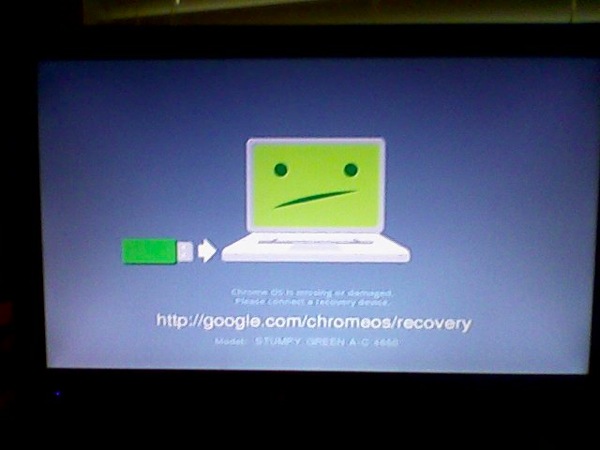
CHROMEBOX: The first start of CHROMEBOX

Tuesday, July 24, 2012

The first start of CHROMEBOX. Not very auspicious!

2012 07 20 CHROMEBOX


SERVICE: OPENDNS recommended for everyone

Thursday, July 19, 2012

*** begin quote ***

Announcing new Parental Controls categories

We recently announced several improvements to the Domain Tagging system, our content categorization engine, and two new categories that you can enable for your home networks, effective immediately, to secure your family’s Web browsing.

As with every new feature we deliver, these improvements are the direct result of your feedback. Our team spent weeks evaluating both the current categories and your suggestions, and ultimately we decided which categories need to be added and which ones could use a facelift. By simply logging into your Dashboard and adjusting your custom settings, you can now filter Anime/Manga/Webcomic and Click/Survey/Pharmaceutical Web Spam. To our knowledge, OpenDNS is the first and only filtering service to offer a Web spam category, though Web spam is increasingly present online.

As the Internet evolves we’ll continue to evaluate our Web filtering categories and your requests to make sure we’re ahead of the curve. If you’d like to get more involved, join our Domain Tagging community and help make the Internet better for millions around the world!

*** end quote ***

Item #4 is for those with children. First this is free. Second, it’s invisible to all but the most techie kids.

* Open a free account on OpenDNS. (Not even sure this is required, but it’s a trivial step that allows them to enumerate their User community.)

* Open your favorite browser, connect to your router, (usually http://192.168.1.1 or 2.1)

* Find the screen where the router holds the DNS entry. (Easy. Most routers have tabs on their admin screen. One will be labeled: “DNS”.)

* Replace what the ISP gives you (theirs. so they can collect ad $ on you) with the OpenDNS values. 208.67.222.222 208.67.220.220.

That’s it. Each platform that starts up will shift to use the OpenDNS.

No one is the wiser that you’re protecting them.

You should check from time to time. You don’t “own” the router; the ISP does. From time to time, they will push a “refresh” or “software update”. (Not for your benefit, but theirs.)

Some of the more paranoid, not me, actually put another router after the ISP router. They wish to prevent the ISP from browsing their platforms or seeing the intra-platform traffic.

FMPOV who cares.

p.s., I use OpenDNS to prevent popup porn, phishing, and malware. Been using it for eons. I don’t understand why more people don’t. Don’t have to think about it. Most bad sites just won’t resolve. YMMV

# – # – # – # – #   


HARDWARE: My MACBOOKAIR is abandoned by Apple

Wednesday, July 18, 2012

http://arstechnica.com/apple/2012/07/confirmed-mountain-lion-sends-some-64-bit-macs-gently-into-that-good-night/

Confirmed: Mountain Lion sends some 64-bit Macs gently into that good night
Rage if you want, but it appears the reason is related to graphics drivers.

by Chris Foresman – July 11 2012, 8:30am EDT

# – # – #  

A very expensive love affair with the MacBookAir is over.

Apple has left me behind. 

Time to cut my losses.

Apple is a dead end.

Planned obsolescence to the n-th degree.

Sorry, but APPLE has just gone on my NOTRECOMMENDED list.

Time to revisit UBUNTU.

# – # – # – # – #   


MACBOOKAIR: Time to plan an exit

Wednesday, July 18, 2012

Well, it is time to play they exit from the MCBA. Then, salvage what value I can from this trek down a technology mistake. A very expensive lesson.

So, what has to be done and what direction to take?

*Strategically, back to wintel, chrome tops, on to the cloud platform agnostic, or Linux?

* Strategically, what cloud services are impacted by platform, if any

* Strategically, where do the iPads fit in the technology plan

* Strategically, glad I didn’t lock into an iPhone. Do I need a “smartphone”. Don’t think so.

* Strategically, the mifis look smart now!

* Tactically, what about iCloud?

* Tactically, what about @me @mac

* inventory the apps on the MCBA

* what gets left on the island until the platform dies

* inventory the hardware that supports it

* what functions does it support and what’s the transition?

* What can be salvaged and sold off?

Argh, more work!

******


SERVICE: Son of CARDSCAN, ScanBizCards, panders for business. Fool me once …

Tuesday, July 17, 2012

Dear Dymo CardScan customer,

As you may already know we discontinued CardScan At Your Service (AYS) at the end of last year. AYS was an online service integrated with the CardScan which synced all your cards to a web-based database, for backup and to manage your contacts from any browser. Instead we have selected a powerful, comprehensive replacement service provided by ScanBiz Mobile Solutions and have made it available to former AYS users since February. We now invite all CardScan users to consider the ScanBizCards Web Sync service.
Benefits
The ScanBizCards solution is comprised of:
1. Web Sync: A web-based account to backup and manage all your contacts from any browser
2. CardScan Sync: a Windows desktop utility to keep your CardScan database (CDB) files in sync with your Web Sync account on the web.
3. ScanBizCards mobile apps: optional mobile apps to carry all your contacts with you on your iPhone/iPad, Android, Windows Phone and (coming soon) Blackberry.

The ScanBizCards solution provides many of the same features as AYS – and much more:
* Cloud backup and sync: keeps all your CardScan contacts in sync with your private Web Sync account in the cloud. Every card you scan and every edit you make to existing cards is automatically uploaded to the web.
* Bi-directional sync: syncing is both ways – every card you create or edit on the web updates the corresponding CardScan database (CDB) file on your local desktop. Installing the ScanBizCards Windows utility on a new desktop automatically creates a copy of all your CDB files. Note: syncing cards down to the desktop is only available for Windows.
* Many powerful web-based features such as:
– Browse and edit all your cards on the web from any browser
– View cards in “thumbnail view”, or a more efficient list view, or even on a map of the world (Map View)
– Export cards to various applications / email providers such as Outlook, Gmail, Yahoo Mail, Hotmail, Mac Address Book – or create a generic Excel CSV for other apps.
– Quarterly “keep current” system: send a request to your contacts asking them to review and update their own contact information (coming soon)
* CRM integration: available right now to Salesforce.com, SugarCRM and Daylite (from the iOS or Android mobile apps), more CRMs planned for this summer (please ask us for the one you use).
* Human transcription: don’t have time to review scan results for accuracy? Just submit cards for human transcription and the ScanBizCards transcription team will do it for you
* Go mobile: carry all your contacts “in your pocket” at all time by installing the ScanBizCards mobile apps on your iPhone/iPad, Android, Windows Phone and Blackberry (coming soon). Please check http://www.scanbizcards.com for more information.

Getting Started
The ScanBizCards solution costs $20 for the first year and $10 for each additional year thereafter. Click http://www.scanbizcards.com/dymo for more information about signing up and installing the Windows CardScan Sync utility. Note: for Mac users a web-based CDB upload method is available instead, click http://www.scanbizcards.com/dymo-upload for more info.

Questions?
Please email cardscan@scanbizcards.com with any question or issue or call +1 (646) 926-4095 (New York)

Sincerely,

The DYMO team

DYMO, a member of the Newell Rubbermaid family of brands.

Please do not respond to this email address, this mailbox is not attended. Please click here to email us directly.

You are receiving this email because you have registered a DYMO product. If you no longer wish to receive emails from us please unsubscribe here. Your privacy is important to us click here to read our privacy policy.

This email was sent by: DYMO, 3 Glenlake Parkway, Atlanta GA 30328 , USA © 2012 DYMO. All rights reserved.

 # – # – # – # – #   

And, why should I trust “you” again?

You promised a free service if I bought your over-priced scanner. I did. You reneged. Now you want to sell me the same service?

fuhgeddaboudit! (translation from the Brooklyn dialect: “forget about it” with a sneer.) 

# – # – # – # – #   


SOFTWARE: Open source isn’t a bad deal versus “Pay for”

Saturday, July 14, 2012

*** begin quote ***

That said, if you lean towards economics and like to think about the long-term costs of open source software, you may have brought to mind the old adage “There’s no such thing as a free lunch”. (Or, as it is commonly used to compare with open source, a Free Beer.) Open source software rarely comes with the technical support and warranty services that proprietary software provides. So while you may not pay upfront now, the expenses for the software maintenance and upkeep may accumulate and charge you in the future.

*** end quote ***

Anyone get any support from the commercial firms like microsloth?

Even in large organizations it’s a joke.

Unless your contract is up for renewal. The you are up to your in SEs, AEs, VPs, and unnamed executives.

Open Source usually has an interested community who is actually interested in your issues.

Some of my BEST support experiences have been from “Open Source”, “Free Software” communities.

I’m not sure how to harness it. But if I ever do, Bill Gates move over. The neighborhood’s getting a double wide.

******


SERVICE: Google Apps v. Office 365

Thursday, July 12, 2012

http://www.techrepublic.com/blog/datacenter/google-apps-v-office-365-summary-which-is-better/5637?tag=nl.e019

The Enterprise Cloud
Google Apps v. Office 365 summary: Which is better?
By Ian Hardenburgh
July 5, 2012, 12:20 PM PDT

*** begin quote ***

Takeaway: Ian Hardenburgh sums up his research on the Google Apps and Office 365 suites. He has a preference, but it still comes down to individual needs and your number of users.

*** and ***

So, which is better?

So at this point, you’re probably saying, that’s all fine and dandy, but which service is truly the better of the two? Well, I’d have to say Office 365, but only if your organization is prepared to (1) pay a premium (for a truly premium service), (2) take advantage of the advanced set of features noticed with auxiliary services like SharePoint Online, and (3) have the resources to thoroughly train your staff on the on-demand technology (You will have users saying, “Can’t I just have Office on my PC like I used to?). Otherwise, the scalability of Google Apps, combined with the applications and professional services that can be gained from its Google Apps Marketplace is a very close second.

Therefore, in my humble opinion, I’d say most enterprises, with the exception of extremely large ones, can be well-served by Google Apps. In increased summation, go with Google Apps if you’re a small enterprise and Office 365 if you’re a large one. It really is a crapshoot if you have somewhere between several hundred and ten-thousand users (what I consider a medium sized enterprise). Hey wait, I guess comparing Google Apps and Office 365 was simply a matter of enterprise size after all!

*** end quote ***

The choice is much harder for the “amateur” trying to get work done in the most flexible cheapest fashion.

Cloud is great if the inet is always there for you. (Only a Fortune 500 CEO or Gooferment bureaucrat has that.)

There are still format and User interface issues.

True Client – Server cooperative productivity apps are few and far between. 

Stuff changes in the wink of an eye.

Microsoft and Apple and Google all have their flaws.

Seriously, I don’t know. A plague on ALL their houses.

# – # – # – # – #   

# – # – # – # – #   


HARDWARE: Retina MacBook Pro demonstrates Apple wants to be an “appliance company”

Tuesday, July 10, 2012

http://www.techrepublic.com/blog/cracking-open/teardown-shows-retina-macbook-pro-is-nearly-impossible-
to-upgrade-difficult-to-work-on/696?tag=nl.e101

Home / Blogs / Cracking Open
Teardown shows Retina MacBook Pro is nearly impossible to upgrade, difficult to work on
By Bill Detwiler
July 5, 2012, 10:08 PM PDT

*** begin quote ***

Missing “Pro” features

And if all this wasn’t enough, Apple also dropped two features that set the MacBook Pro apart the thinner, but less “professional” MacBook Air–an Ethernet port and optical drive.

*** end quote ***

For awhile I was an Apple fan boy. For a very very short time before that I was a Wintel fan boy. Both times I’ve quickly soured over “offerings”. 

For Wintel, it was bloatware, crapware, feature creep, automatic updates, DRM, activation. But what really put the ultimate knot in my shorts was win rot. That almost mandatory bare metal restore every six to nine months was unacceptable. 

A brief love affair with Linux, it was just too hard to install. Too many distributions to choose from. And, they really wanted you to be a hardware geek. Personally, I’m astonished that large organizations with dedicated IT staffs haven’t jumped on this as opposed to Microsoft and it’s upgrade treadmill.

That all led me to Apple. I jumped in with Mac Book Air. And, for the most part it’s served me well. Except, like Wintel, it has Mac Rot. I’ve got several problems that the Geniuses haven’t solved and requires fairly frequent reboot. A bare metal install without a Lion distribution disk scares me silly.

I don’t like the whole app store concept. 

Personal computing has morphed into being a pawn or cash cow for the big guys.

Maybe it’s time to revisit Linux.

But, I’m going to try a Chromebox first.

Maybe I’ll be a Google fan boy next. I doubt. I always seem to find the man behind the curtain.

# – # – # – # – #   


SERVICE: Yahoo! Groups Labs Applications (beta) and Groups Chat — goodbye

Saturday, July 7, 2012

ygroupsnotifications@yahoogroups.com via ng4-ip2.bullet.mail.bf1.yahoo.com

to JasperJottings.

Dear User,

Unfortunately, the time has come to say goodbye to Yahoo! Groups Labs Applications (beta) and Groups Chat. We thank all the users that were a part of this program. We intend to use this learning to enhance Yahoo! Groups further with new features.

On July 04, 2012, we will shut down the Yahoo! Groups Labs Applications (beta) and Groups Chat. We request you to backup any data that you might have created using the applications.

This closure will not affect your other services on Yahoo! Groups.

We look forward to continue having you as our customer.

Best,
The Yahoo! Groups Team

# – # – #  

You can’t depend on Cloud apps not changing on you. Free is just a hook up. If you’re not paying for it, then you have zero assurance.

# – # – # – # – #