IPAD: Upgraded to IOS6 last night

Thursday, September 20, 2012

My IPAD1 is now an orphan. Like my original MACBOOKAIR, which was left behind as “obsolete” a few months ago. Aghh!

Victims of Apple’s planed obsolescence strategy.

argh!

(So why did I sign up for an IPHONE5? Pride, stupidity, ignorance!)

Of note, upgrade took over an hour. 

Also, the “initialization sequence” happens in portrait mode while the screen was locked in landscape. The obligatory reading was in too a tiny font for these old eyes. And, like most “shrink wrapped licenses”, what choice does the User have at that point?

Stay tuned as the “adventure” continues.

Argh!

# – # – # – # – #   


HARDWARE: CHROMEBOX; my experience

Tuesday, August 28, 2012

http://reviews.cnet.com/desktops/samsung-chromebox-series-3/4505-3118_7-35313576-2.html

Samsung Chromebox Series 3 review

*** begin quote ***

The Chromebox does support dual-display output, but right now it will only mirror the desktop image to both displays, rather than extending a single operating environment across multiple screens. Again, the system chooses the output resolution automatically, in this case opting for the highest common resolution between both monitors.

Along with connecting a monitor to the Chromebox, you must also provide your own mouse and keyboard. That opens up a larger discussion about device compatibility, which is less of an issue for the Chromebook considering its built-in Webcam and input devices.

Six USB 2.0 ports on the system (two in front, four in back) imply broad support for the vast ecosystem of USB devices. I did not expect the Chromebox to support every esoteric peripheral, but I was also surprised by how quickly I found devices that didn’t work.

*** end quote ***

MY experience mirrors the review with one big positive and one surprising negative.

Positive: This puppy doing gmail is FAST. Like an idiot savant, it renders web pages quick like a bunny.

Negative: I never realized how much I depend upon text expansion utilities. 

I’d buy a CHROMEBOOK to replace my obsoleted MACBOOKAIR. (That alone makes me a NEGATIVE Apple Fan Boy. What is the opposite of a FAN boy?)

So, I’m stuck. I am getting off the Apple “upgrade” treadmill. I’m burnt out on Microsoft problems. Not sure if Ubuntu will give me text expansion. 

Welcome to the “glue trap” or worse whatever.

Sorry, but CHROMEBOOK isn’t ready for me. BUT, if you have kids or old folks, it’s perfect and cheap!

# – # – # – # – #   


HARDWARE: Retire old hard drives?

Monday, August 13, 2012

http://www.donationcoder.com/forum/index.php?topic=31811.msg295493#msg295493

Should we pre-emptively retire old hard drives?
« on: August 02, 2012, 01:52:50 AM »

*** begin quote ***

We all know that hard drives can and will fail eventually, and often unpredictably and without warning. That’s why we make sure we back up regularly.

But here’s is a question I’ve been thinking about lately, and I don’t know the answer to:

Should we pre-emptively retire old but perfectly-working hard drives, and migrate data to a new drive? If so, after how many hours?

Or should we just run them into the ground until they fail?

Here’s a screenshot of one of my favorite tools (CrystalDiskInfo), showing smart data of my oldest drive, with 39,000 hours powered up:

*** end quote ***

What a GREAT question?

I’ve have NEVER heard it asked before. (And, I’ve been in and around it for a LONG time!)

I’ve been burnt by hardware failures a few times. Couple of times the hard disk died. Couple of times it was the supporting hardware.

(The disk might have well died. Thanks, DELL, for using a proprietary motherboard / disk drive combination. Couldn’t just take the good drive from a dead mother and slap it in another DELL as a primary or secondary. That consumed a HUGE number of hours of me, my hardware savvy tech friend, and DELL “technical support”. That one HURT! Turns out most of the backups I’d taken were corrupt. Good thing I’m a “belts ‘n’ suspenders” kinda guy. Had PRINTED copies of data. Paperless society my <synonym for donkey>!]

Cloud is the ultimate backup.(Another great business idea missed thanks to my “huevos muchos pequeño”!) But even that cloud solution can fail. What do you do if you can’t connect?

Argh!

Two of my more SPECTACULAR failures were, both times in a corporate setting — different employers — where I was REQUIRED to depend on centralized IT back up service, when I depended upon those others and … (wait for it) … one time my platform was “overlooked” and at the other place “ALL my backups for THREE <synonym for the act of procreation in real time> YEARS were corrupt”.

Double Argh! or is that (Argh!)**2?

Just writing this I’m now getting crazed because my current employer is another of those “you must use the centralize backup service” kinda places. 

(Note to self: ask them to restore some random file every week!)

# – # – # – # – #   


CHROMEBOX: The first start of CHROMEBOX

Tuesday, July 24, 2012

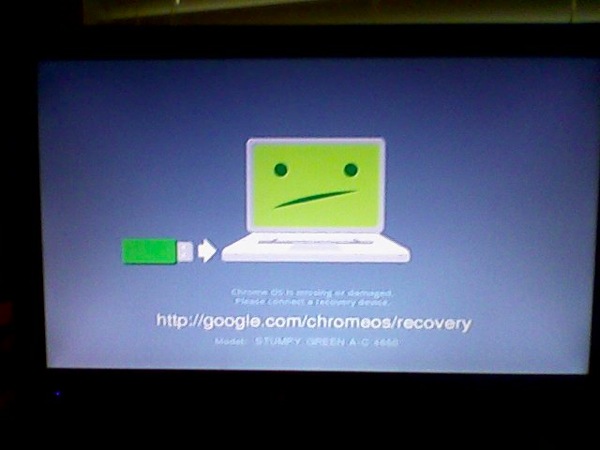
The first start of CHROMEBOX. Not very auspicious!

2012 07 20 CHROMEBOX


HARDWARE: My MACBOOKAIR is abandoned by Apple

Wednesday, July 18, 2012

http://arstechnica.com/apple/2012/07/confirmed-mountain-lion-sends-some-64-bit-macs-gently-into-that-good-night/

Confirmed: Mountain Lion sends some 64-bit Macs gently into that good night
Rage if you want, but it appears the reason is related to graphics drivers.

by Chris Foresman – July 11 2012, 8:30am EDT

# – # – #  

A very expensive love affair with the MacBookAir is over.

Apple has left me behind. 

Time to cut my losses.

Apple is a dead end.

Planned obsolescence to the n-th degree.

Sorry, but APPLE has just gone on my NOTRECOMMENDED list.

Time to revisit UBUNTU.

# – # – # – # – #   


MACBOOKAIR: Time to plan an exit

Wednesday, July 18, 2012

Well, it is time to play they exit from the MCBA. Then, salvage what value I can from this trek down a technology mistake. A very expensive lesson.

So, what has to be done and what direction to take?

*Strategically, back to wintel, chrome tops, on to the cloud platform agnostic, or Linux?

* Strategically, what cloud services are impacted by platform, if any

* Strategically, where do the iPads fit in the technology plan

* Strategically, glad I didn’t lock into an iPhone. Do I need a “smartphone”. Don’t think so.

* Strategically, the mifis look smart now!

* Tactically, what about iCloud?

* Tactically, what about @me @mac

* inventory the apps on the MCBA

* what gets left on the island until the platform dies

* inventory the hardware that supports it

* what functions does it support and what’s the transition?

* What can be salvaged and sold off?

Argh, more work!

******


HARDWARE: Retina MacBook Pro demonstrates Apple wants to be an “appliance company”

Tuesday, July 10, 2012

http://www.techrepublic.com/blog/cracking-open/teardown-shows-retina-macbook-pro-is-nearly-impossible-
to-upgrade-difficult-to-work-on/696?tag=nl.e101

Home / Blogs / Cracking Open
Teardown shows Retina MacBook Pro is nearly impossible to upgrade, difficult to work on
By Bill Detwiler
July 5, 2012, 10:08 PM PDT

*** begin quote ***

Missing “Pro” features

And if all this wasn’t enough, Apple also dropped two features that set the MacBook Pro apart the thinner, but less “professional” MacBook Air–an Ethernet port and optical drive.

*** end quote ***

For awhile I was an Apple fan boy. For a very very short time before that I was a Wintel fan boy. Both times I’ve quickly soured over “offerings”. 

For Wintel, it was bloatware, crapware, feature creep, automatic updates, DRM, activation. But what really put the ultimate knot in my shorts was win rot. That almost mandatory bare metal restore every six to nine months was unacceptable. 

A brief love affair with Linux, it was just too hard to install. Too many distributions to choose from. And, they really wanted you to be a hardware geek. Personally, I’m astonished that large organizations with dedicated IT staffs haven’t jumped on this as opposed to Microsoft and it’s upgrade treadmill.

That all led me to Apple. I jumped in with Mac Book Air. And, for the most part it’s served me well. Except, like Wintel, it has Mac Rot. I’ve got several problems that the Geniuses haven’t solved and requires fairly frequent reboot. A bare metal install without a Lion distribution disk scares me silly.

I don’t like the whole app store concept. 

Personal computing has morphed into being a pawn or cash cow for the big guys.

Maybe it’s time to revisit Linux.

But, I’m going to try a Chromebox first.

Maybe I’ll be a Google fan boy next. I doubt. I always seem to find the man behind the curtain.

# – # – # – # – #   


HARDWARE: POGOPLUG highly recommended

Saturday, June 23, 2012

and …

Perhaps, I haven’t explained myself well.

About the pogoplug and the disk drive.

You plug both into any power strip.

The disk drive plugs via usb into the pogoplug.

The pogoplug plugs via an RJ45 (local area network connection) (looks like a fat phone wire with bigger that a phone socket plugs on each end) into the ROUTER.

Note: it doesn’t plug into ANY computer.

(You can, but you don’t HAVE to. The value of this little 45$ linux box is that it is it’s own computer / appliance.)

Once you do that, I can give you a directory on the drive that you can:

(a) “mount” the drive on any computer on your home lan (wirelessly or wired) and use as you would the hard disk that’s internal to that computer. Including IPADs, ITOUCHs, IPHONES, and most smart phones.

(b) by correctly defining any path to the pogoplug via it’s web interface, it will give you a URL that you can “publish”, share, or use yourself.

So, for example, Luddite can upload his corny spam megabyte movie files to is and any one who has the link can look at it. ANd, would CLOG everyone’s mail systems with HUGE files.

So, for example, MIX2 can put the that big video on the “platform” and only allow certain people to see it. (Even if someone has the link, they can’t see it. I think it comes back “404 url not found” or something like that.)

SO, you can think of pogoplug as a “personal / group / public” cloud solution.

I’d like to deploy them at all my favorite people’s routers so that I can have off-site storage. (The power is use is about 8$ per year I’m told.)

I think it’s a neat device.

# – # – # – # – #


IPAD: The kids’ toy box; perfect for the elderly non-techie

Friday, May 11, 2012

http://news.cnet.com/8301-13579_3-57429122-37/six-scenarios-where-the-ipad-is-trouncing-the-pc/?tag=nl.e019

Six scenarios where the iPad is trouncing the PC
TechRepublic’s Jason Hiner has little use for an iPad. But he’s pinpointed six areas where it’s become people’s preferred device and is disrupting the PC market.
by Jason Hiner May 7, 2012 9:00 AM PDT

*** begin quote ***

6. The kid machine

For the past couple generations, kids have taken to computers and technology with almost no trouble and with few exceptions. However, with the iPhone this phenomenon started to go a step further — or younger. Suddenly, 2-year-olds could figure out how to swipe to unlock the phone, touch the photo app, and flick their little fingers across the screen to flip through photos. Once we got a big screen version of this experience with the iPad, the sky was suddenly the limit for infants, toddlers, and preschoolers. They had a computer that required no training from their parents. Apps like Intro to Math, by Montessorium took advantage of the iPad interface to deliver software that was inexpensive, easy to learn, fun, and effective.

On the other end of the spectrum, the iPad is easy enough to figure out that plenty of elderly people who never felt comfortable with a computer have been able to use an iPad to do a few basic things. The key to this scenario is the iPad’s multitouch interface, which requires no user manual and no instruction to get started.

*** end quote ***

Ever since I saw the YouTube video of a baby trying to stroke a magazine to make the “screen” turn, I knew Apple had a winner.

# – # – # – # – #   


MACBOOKAIR: Finally complete the LION upgrade

Tuesday, May 1, 2012

OK!

I was thanks to DRIVESLIM ($, not free) able to free enough space on the slender MACBOOKAIR which I cam McBahh1.

I was then able after 3 password resets finally get an MAC APP STORE id that would work.

I was then able to download the LION MAC OSX UPGRADE ($). That I had already paid for. Thankfully, I didn’t have to pay for it again.

I was then able to perform the UPGRADE.

An hour later, while I was doing other things, McBahh1 dinged like an oven timer and it was done.

Observation: McBahh1 is now running “sprightly”. No more performance like a nursing home resident. We’ll see if any of the old problems return (i.e.: “I’m too tired to compute; I’m taking my union break for as many minutes as I feel like”; “There’s no free disk space; deal with it.”, or my perennial favorite “Year, I rebooted; what of it?”)

Casualties: NVU (free) no longer runs; I quickly found BLUE_GRIFFON (free) to replace it. 

Observation: BLUE_GRIFFON doesn’t do file transfer like NVU did. (Argh!)

New method: FILEZILLA dusted off to upload. New version of FILEZILLA installed. Works.

Casualties: MAC OSX 10.7.3 aka LION in the FINDER utility no longer displays the amount of free space. (Or it’s not obvious how to do it.)

Opinion: Well worth it. But what a hassle. Months of hassle to get to this point. Exponential number of Arghs.

# – # – # – # – #   


IPAD: Zagg keyboard. Did I get scammed? I think so!

Saturday, April 28, 2012

I received the package. Opening it the packing slip. says “… ipad3 …”. However the instructions say “… ipad2 …”. Did you ship me the wrong one or are they interchangeable. If “interchangable”, then why did I wait and pay extra for the “ipad3” model? This has me wondering …

I await you answer.
fjohn

# – # – # – # – #   

I’m not happy because when I ordered there was no “back order”. After my order was in and sitting for a couple of weeks, then magically it was backordered. Since the ship date was a couple of days, what choice did I have? But even that slipped.

# – # – # – # – #   

On Wed, Apr 25, 2012 at 12:01 PM, The ZAGG Team – Matthew G. <questions@zagg.com> wrote:

Hello,

Thank you for contacting ZAGG, where we are Zealous About Great Gadgets! My name is Matthew G. and I appreciate the opportunity to assist you.

 The tracking number you have, 9405510200828351438398, is a USPS tracking number. You can look this up on USPS.com and find more information about your package. Please note that USPS tracking numbers are more of delivery confirmation numbers and do not provide actual tracking like UPS and FedEx do.

<<< Nothing like that is on the website. The confirm email points to those two vendaor to “track your shipment”!>>>

Please note also that USPS can take anywhere from 24 to 72 hours to update shipping information. Since your order only shipped as of the 23rd of April, USPS would not have any information in their system about your tracking number. I would check over the next few days for any updated information on your delivery confirmation number.

I hope this helps! Please feel free to contact us back with any questions or concerns.

Thank you for choosing ZAGG! We appreciate your business.

All the best,

Matthew G.

Customer Service Representative
ZAGG Inc.
3855 S 500 W STE C

SLC, UT 84115

800.700.ZAGG(9244) (toll free)
801.263.0699 (o)
Nasdaq Symbol: ZAGG
ZAGG.com

— Original Message —

From: “reinke (reinke cc)” <reinke@reinke.cc>
Received: 4/23/12 6:45:59 PM MDT
To: The ZAGG Team – Darren S. <questions@zagg.com>
Subject: Re: order IC5629043

9405510200828351438398

I got this tracking number. But neither UPS or USPS find it.

Help?

fjohn

# – # – # – # – #   

On Thu, Apr 19, 2012 at 2:15 PM, The ZAGG Team – Darren S. <questions@zagg.com> wrote:

Hello Keith,

Thank you for contacting ZAGG, where we are Zealous About Great Gadgets! My name is Darren S. and I appreciate the opportunity to assist you.

I apologize for any confusion you may have experienced regarding your order. I see that order IC5629043 was placed on April 2nd, 2012. Orders placed through ZAGG.com orders typically take 1-2 business days to process and ship. This may vary depending on product demand, however. In order to assist you with determining the current availability of a given product, the expected shipping date for an item has been included on the product page itself.

Having said that, I see that the expected ship date for this order was is April 23rd, 2012. The ZAGGfolio on this order is currently experiencing inventory issues which has caused a delay in the shipping of this order. Our processing facility is working as quickly as possible to fulfill each affected order, and we expect inventory for this item to become available around April 25th, 2012. Nevertheless, we regret any inconvenience to you and acknowledge the difficulty this has caused.

Once an order leaves our facility we will send a shipping confirmation email. You can also check the status of your orders on demand via ZAGG.com. Log in to your User Account Manager to check the status of your most recent orders and view a snapshot of your order history. You can also update your account information. Take advantage of this service by visiting our website at http://www.zagg.com/support/account.

We apologize for any inconvenience and we appreciate your interest in ZAGG. However, please feel free to contact me if you have any further questions or comments. If you prefer assistance via a live customer service representative, our phone number is (801) 263-0699 or toll free at (800) 700-ZAGG(9244). Our office hours are Monday through Friday, 8 AM to 5:30 PM, Mountain Time.

Thank you for choosing ZAGG! We appreciate your business.

All the best,

Darren S.

Customer Service Representative
ZAGG Inc.
3855 S 500 W STE C

SLC, UT 84115

800.700.ZAGG(9244) (toll free)
801.263.0699 (o)
Nasdaq Symbol: ZAGG
ZAGG.com

— Original Message —
From: reinke <reinke@reinke.cc>
Received: 4/18/12 11:52:51 AM MDT
To: “questions@zagg.com” <questions@zagg.com>
Subject: order

status on ic 562 9043?

# – # – # – # – #   

I think I was scammed. What’s your opinion?

ZAGGS is definitely “NOTRECOMMENDED”! 

# – # – # – # – #  2012-Apr-27 @ 04:25  

HERE’S THEIR AUTORESPONDER:

Hello reinke (reinke cc),

Thank you for contacting ZAGG, home of the invisibleSHIELD! We appreciate hearing from you and your email is very important to us. We will reply to your inquiry as quickly as possible. Most emails are replied to within 1-2 business days, but please allow up to 3 business days. Our hours of operation are Monday thru Friday, 8am – 6pm, Mountain Time.

If you need a replacement for your ZAGG product, please follow the below link for a quick instructional video: http://www.zagg.com/support/contact.php#hidden_replacementVideo

You can also visit our Frequently Asked Questions page below for information on our warranties, shipping, products, refunds, etc.:

http://www.zagg.com/faq

To help track your inquiry we have generated a reference number. Your message id 349264. Please add @zagg.com to your address book to prevent our messages from going to your spam folder.

Sincerely,

The ZAGG Team

# – # – # – # – #  2012-Apr-27 @ 04:48  


MACBOOKAIR: Didn’t resume for hibernate

Sunday, April 22, 2012

One of the many petty annoyances.

* The Ghost of Hard Disk Space Past, when all the free space disappears and needs a reboot to recover the 4 or 5 gig.

* Fails to resume from hibernate

* Firefox fails to close

* Random app crashes

* The screen has a finger goo straight line of grease on it corresponding to, I guess, the CVBNM keys. Argh!

* The Apple App Store, Mobile Me, and ICLOUD can “lose their memory of you” when Aplle decides to “improve” stuff. Double Argh!

So I’m coming to the decision that Apple is as bad as Windoze.

# – # – # – # – #


IPAD: Penultimate interesting; catch a sale

Thursday, March 29, 2012

http://itunes.apple.com/us/app/penultimate/id354098826?mt=8

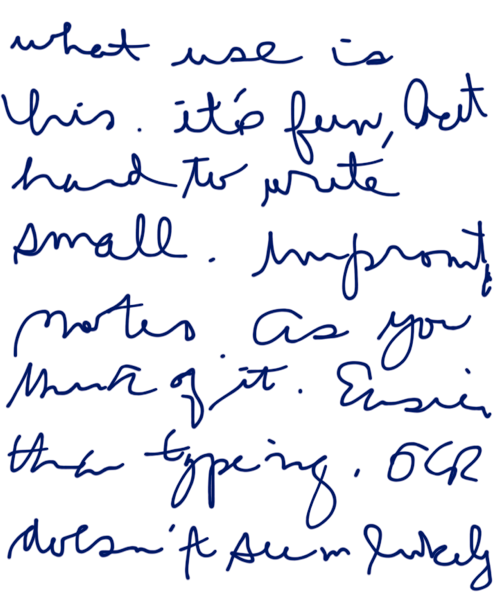
Penultimate
By Cocoa Box Design LLC

** The original, easiest-to-use, best-selling handwriting app for iPad. On sale.

**Penultimate gives you the fast, tactile gratification of writing on paper, with digital power and flexibility. Take notes, keep sketches, or share your next breakthrough idea — in the office, on the go, or home on the sofa.

# – # – #

Caught it n sale and recommended it to the other “kids” in the family.

2012 03 27 note

# – # – # – # – #


IPAD3: has some problems

Wednesday, March 28, 2012

(1) Apple APPSTORE told me I forgot my password three times yay. Anyone who knows me and my tools knows that didn’t happen.

(2) Syncing my ipad3 to mcba (macbookair1) left it with about half the apps eternally waiting.

(3) Music files are “there” but unplayable.


Meanwhile ipad1 is stuck with updates that can’t be applied.


So much for moving to Apple because my problems with Microsoft!


######


IPAD: IPAD3 has initialization issues

Saturday, March 17, 2012

Can’t use my IPAD1 apple id?

(I’m not buying all the stuff over again. Starting the issues list. May have to return it.)

# – # – # – # – #

Apple id is mobile me.

It’s forcing me up to icloud.

icloud requires lion.

lion needs a lot of space.

made space

now if’s forcing me into “forgotten password”

forcing me to authenticate the id’s emil by clicking a link

now it’s still forcing “forgotten password” and not sending the link.

argh!

# – # – # – # – #  2012-Mar-16 @ 21:39

ipad3!. May have been a mistake. All sorts of initialization issues. Apple may be overwhelmed and using “forgotten password” to throttle use.

# – # – # – # – #  2012-Mar-16 @ 22:08

Forces verification of email address.

*** begin quote ***

Dear fjohn reinke,
You’ve entered reinkefj@reinke.cc as the contact email address for your Apple ID. To complete the process, we just need to verify that this email address belongs to you. Simply click the link below and sign in using your Apple ID and password.
Verify Now >
Wondering why you got this email?It’s sent when someone adds or changes a contact email address for an Apple ID account. If you didn’t do this, don’t worry. Your email address cannot be used as a contact address for an Apple ID without your verification.
For more information, see our frequently asked questions.
Thanks,Apple Customer Support

*** end quote ***

DO that and it forces me into password reset and never sends the email.

Argh!

# – # – # – # – #  2012-Mar-16 @ 22:11

Comparing Taylor Swift HD on IPAD1 and IPAD3 — don’t see much difference.

Trying to think of other comparisons.

# – # – # – # – #  2012-Mar-16 @ 23:16

THE SAGA CONTINUES

from: Apple appleid@id.apple.com
to: apple@reinke.cc
date: Sat, Mar 17, 2012 at 7:51 AM
subject: How to reset your Apple ID password.
mailed-by: mdn-txn-msbadger0204.apple.com

Arrived in Google mail box about 9AM. Google posts within seconds to receipt. I know I send stuff from different account into gmail account often. Sometimes Google posts it before I can ALT TAB or TAB SELECT from the sending website over to the GMAIL window. Google’s fast; I’m faulting Apple on this one. Either deliberately or not. Argh!

Finally the link comes through, password reset. I know that I didn’t “forget” any of my passwords, I use LASTPASS, a text file, and a spreadsheet. ARGH!

Now onto try to upgrade MACBOOKAIR to LION. Then I can move from MOBILEME to ICLOUD. Then, finally I can rename my apple id from the old format of a simple name to the new required format of an email address. Then I can connect the IPAD3 to my old apple id and get to try it.

(If you think this all been a big mistake, I agree. What idiot enforces a new rule (i.e., an apple id has to be an email “for security purposes”. Someone needs to explain that one to me. I’m going to bounce this off Bruce S. Maybe it’ll give him some blog fodder.)

I STILL think they deliberately did this to control load. Yeah, I’m a cynic with a tin foil hat!

# – # – # – # – #  2012-Mar-17 @ 09:28

SAGA <synonym for excrement>

Going back to the APPSTORE on the MACBOOKAIR tells me that “too many incorrect passwords”. Forces me to say “I forgot it”. (All for MY protection, of course.) And, then if forces up something that opens NVU to edit the page. Are you kidding me?

And Apple is “user friendly”? “barbara streisand”

So, I have uninstall NVU, do this non-sense, wait for another email, buy LION, reinstall NVU, install LION. Then I can move from MOBILEME to ICLOUD. Then, finally I can rename my apple id from the old format of a simple name to the new required format of an email address. Then I can connect the IPAD3 to my old apple id and get to try it.

To quote Taylor Swift: “This is begining to look like  tragedy now.” An epic poem worthy of Homer who wrote the Odyssey!

# – # – # – # – #  2012-Mar-17 @ 09:46


Hardware: YouTube is hiccuping

Thursday, March 8, 2012

Maybe I am seeing network issues. It could be Verizon. But both Verizon Filos and Verizon vwbbie (Verizon’s wireless broadband hooked thu the mifi2200) are failing to play Taylor Swift videos. (yes, I know a terrible loss to western civilization!) but could it be a conspiracy to sell ipad3s and 4g service. If I was the cynical type, I suspect Verizon want folks to upgrade to 4g and may have degraded the 3G performance to pop sites. I’m sure that biz, who uses it for DR and salesforce automation, will not have any problems. But that’s cynical. After all, not like anyone would collude to fix prices on ebooks? Or anything else! Argh!

# – # – # – # – #


HARDWARE: stuck cd advice

Thursday, March 8, 2012

On Mon, Mar 5, 2012 at 8:12 AM, XXXX wrote:

Thanks John.    I have another favor of a technical nature. A DVD is stuck in the R-drive. It wants to open, but something is preventing it-sounds like a Twilight Zone story.    Any suggestions?

# – # – #

Two ideas:

(1) there is usually a hole for “emergency open”. You mae need a magnifying glass and an unbent paper clip to insert.

(2) sometimes the CD doesn’t get flat on the “turntable”. I’ve found that inverting it and then back can sometimes free it. Also, a gentle washing machine agitation — 5 or 10 minutes — just put it on the machines when they cycle. :-) It sometimes will let the cd reset in the “tray”.

Just some things that I’ve done.

BTW the disk and the drive are probably toast. When it attempts to force the drawer open, it knocks the “heads” out of line.

Hope this helps,
fjohn

# – # – # – # – #


HARDWARE: New Valentine radar detector works

Sunday, February 26, 2012

It really sounds off around police cars. I guess they leave it ‘hot’ when not trapping. I’d be worried about radiation and cancer.

It hasn’t saved me a ticket yet. So we’ll see if it’s has an ROI.


HARDWARE: What can you do with a $25 computer?

Sunday, February 12, 2012

http://www.techrepublic.com/blog/european-technology/raspberry-pi-how-a-25-computer-
could-spark-a-computing-revolution/123?tag=nl.e019

European Technology
Raspberry Pi: How a $25 computer could spark a computing revolution
By Nick Heath
February 9, 2012, 6:08 AM PST
Takeaway: Ultra-cheap computers like the Raspberry Pi could usher in a new wave of pervasive computing

*** begin quote ***

One of the machines at the vanguard of the low-cost computing revolution is the Raspberry Pi, a $25 Linux box that will go on sale before the end of February. Despite its budget price the Raspberry Pi still packs a punch, with the multi-media capabilities of an original Xbox console, 1080p video playback, and general processing power of a Pentium II/III. Specs-wise the credit card-sized computer is powered by a 700MHz ARM chip inside a Broadcom BCM2835 has a single USB port and 128MB of memory, with an additional $10 buying a souped-up version with two USB ports, 10/100 ethernet and 256MB of memory.

*** end quote ***

At the very least, it’ll be back to the days of Byte Magazine and hardware hacking galore. At the very least, those kids with all the time in the world will be computing savants.

Hard to imagine what it will be capable of?

Kids will probably break into two camps — 90% being the ipad Users and the other 10% will be the next hacking generation.

I’m going to buy some just to play.

This is stuff that was a dream when I was in injineering school.

p.s., I still have my slide rules. In case I have to design a bridge in TEOTWAWKI (The End Of The World As We Know It)!

# – # – # – # – #


HARDWARE: Wait for the IPAD3 until March 2012

Wednesday, November 30, 2011

http://news.cnet.com/8301-17938_105-57329053-1/$4.23-a-day-on-the-timing-of-a-black-friday-ipad-2-purchase/

*** begin quote ***

$4.23 a day: On the timing of a Black Friday iPad 2 purchase | Crave – CNET

*** end quote ***

It appears that waiting until March next year to buy an IPAD3 is a good idea.

# – # – # – # – # 2011-Nov-23 @ 12:39


HARDWARE: Meet Wu and Kong

Sunday, November 20, 2011

http://www.youtube.com/watch?feature=player_embedded&v=vkk8kMm08cA

Ping pong robots
Written by Lucy Black
Friday, 11 November 2011 13:00

*** begin quote ***

Meet Wu and Kong – the latest in ping pong playing robots. They may not achieve exciting matches at the moment, but the fact that they can do the job at all is an indication of how fast things are moving.

*** end quote ***

Hmm, seems like their nerds are ahead of our nerds. Except that they have a nerd girl!

Guess one should NOT plan to specialize in anything a robot can do!

# # # # #


HARDWARE: VERIZON DVR and EAS incompatible

Thursday, November 17, 2011

In a recent test of the Emergency Alert System, the Verizon DVR stupidly assumed that there was a new recording of a series. So I lost LMAD and VARNEY. The test was at 1053. SO I now have a few minutes of recording of each show. I only save one on the theory of if I don’t watch it within a day, I won’t get to it. Except for power failures and EASs. Argh!

# # # # #


HARDWARE: IPAD and PROJECT GUTTENBURG

Thursday, October 27, 2011

http://www.gutenberg.org/ebooks/37800

GIVEN: There’s a lot of good old content for youngsters on PROJECT GUTTENBERG.

FIND: If it was on the IPAD, then maybe the child would read it.

SOLUTION: Overlooking the issue of content selection for the moment …

I found an appropriate text — at least appropriate to this fat old white guy injineer — so I fowarded the link to the appropriate Mommy for approval.

(Our Girl’s Rule #1 for dealing with children: “Everything must be mommy approved first!” Boy, I miss her.)

So while awaiting approval, and being the grumpy old techie skeptic, I sprung to my IPAD — okay, so “sprung” is an exaggeration — for a test.

Fired up the safari browser, punched the link for the “book”, and what to my wondering eyes do appear … an error message about “FRAMES interrupted”.

(Nothing is ever as easy as it should be when it come to technology.)

So remembering how I got my novel “CHURCH 10●19●62” on to my IPAD, before Amazon listed it for the Kindle, …

I downloaded the illustrated epud format file to my mac.

Created an email with and attachment and sent it to “fat old white guy injineers ipad @ reinke dot cc”. (That’s an email address defined on the iPad.)

Open the email on the iPad.

Double tap on the attachment.

Select open with iBooks.

Voila!!!

It is there like a “real book”.

As a follow up, I’m going to ping an apple fanboy that I know for his interpretation of this story. (I’m sure it’s something like “tap the bezel while temporarily suspending Angry Birds, then with your left thumb stuck … in your right ear, while humming any Sousa melody for Dragon, poke your right eye out with the stylus. And it’ll work perfectly. You shouldn’t have reset the yada yada yada. And, that’s why Steve Jobs should be canonized.)

YMMV

# # # # #


HARDWARE: SLINGBOX not recommended

Monday, October 24, 2011

SLINGBOX sucks.

I bought it with the intention that Our Girl would be able to watch her soap in the hospital.

Couldn’t get it to connect to the (at the time) Comcast router.

(At the time, I was working for Comcast and their official supprt reaction was “good”. No surprise there.)

SO, needless to say that was a waste and “Non returnable” to the Sling folks.

(Isn’t the first time I’ve gotten stuck with a “whte elephant” by a vendor. But like the elephant, I never forget. I have alist of “folk I’ll never buy from”. Hardware, software, carpet, windows, home improvement, cars, etc. etc. I get screwed a lot.)

Down the shore, I have a cable router that I can’t cancel for another year. So, let me see if I can get it working down there. Now it connects to the net, but when I go to register the website won’t give me anything other than “invalid password”. (How can any password be invalid?)

Go over to support, can’t get support on anything unless it’s within 90 days of purchase.

Argh!

(Maybe it’s time to annoy some Gooferment bureaucrats?)

# # # # #


HARDWARE: IOS5 Wireless syncing

Saturday, October 15, 2011

http://www.macworld.com/article/163060/2011/10/up_close_with_ios_5_wireless_syncing_and_updating.html#lsrc.rss_main

Up close with iOS 5: Wireless syncing and updating | Mobile | Macworld

# – # – #

The new wifi sync is a big benefit of doing the IOS5 update. but you have to turn it on. Who knew? Argh.

# – # – # – # – # 2011-Oct-15 @ 11:24


HARDWARE: VERIZON FIOS TV grid empty

Saturday, October 1, 2011

The TV GRID is empty. Power glitch unlikely since nothing’s blinking. Reset by Verizon? Argh!

# – # – # – # – # 2011-Oct-01 @ 13:11